The frame
One call takes a scene and gives back something Flutter can composite. Everything on this page is what happens in between.
An application usually never writes this call: Flutter3dView makes it every frame, through SceneSurface, with the views and settings it was given (see the quickstart). It is written out here because it is what the view does, and because a host with a frame clock of its own calls it directly.
final frame = renderer.render(
  width: (constraints.maxWidth * dpr).round().clamp(1, 8192),
  height: (constraints.maxHeight * dpr).round().clamp(1, 8192),
  scene: scene,
  views: <CameraView>[view],
  settings: RenderSettings(
    fog: fog,
    shadows: const ShadowSettings(cascades: 3, resolution: 1024),
  ),
);
return presentFrame(renderer.device, frame.frame);
presentFrame, from flutter3d_app, rather than painting an image: a backend whose frame is composited elsewhere has no image to paint, and a widget built for the concrete backend is the one answer every backend can give.
The pass order #
sequenceDiagram
    autonumber
    participant R as Renderer
    participant S as shadow pass
    participant O as opaque · sky · transparent · x-ray
    participant B as bloom chain
    participant C as composite
    participant F as Flutter

    R->>S: camera = the light, orthographic volume fitted to the scene
    S-->>R: linear depth in a colour target
    R->>O: r16g16b16a16Float, sorted by pipeline
    O-->>R: scene HDR (+ optional surface buffer)
    R->>B: bright pass, then a chain of half-size blurs
    B-->>R: bloom
    R->>C: tonemap, exposure, sRGB encode, occlusion, grading
    C-->>F: swapchain texture
Each of those is a separate command buffer. Metal allows one open encoder per command buffer and flutter_gpu has no way to end a RenderPass, so a multi-pass frame needs a buffer per pass, submitted in order. Buffers on one queue execute in submission order, which is also how the passes get sequenced.
The diagram is the frame with nothing optional switched on. The whole list, in the order the graph registers it, is RenderSettings.passOrder, and 0.8.0 added fifteen names to it: the velocity passes and the histories, the temporal resolve, volumetric fog, motion blur, local exposure, the spatial upscale, the scene color copy and the transparent half, the depth pyramid, the shadow moments and the irradiance update. Each of them stays culled until a setting asks for it, and a frame that asks for none of them draws what 0.7.4 drew, apart from the corrections below.
What 0.8.0 changes without being asked #
Five changes move a picture that existed before. Only the last can be turned back, and only by leaving a pass out.
| What changed | What you see |
|---|---|
glTF baseColorFactor is read as linear, as the specification says |
A factor of 0.5 draws as 0.5 where it drew as 0.21, so any model with a factor below one comes out lighter. The loader converts on the way in and the writer on the way out |
Photometric.fromLumens for LightType.area divides by π, the flux of a Lambertian panel, where it divided by 2π |
A rectangle light rated in lumens is twice as bright. toLumens answers the same way back |
The metal-rough model integrates its highlight over a rectangle light's whole panel (linearly transformed cosines, read from the fitted table EngineTables.ltc) |
A glossy floor under a long panel shows the panel's shape where it showed one point's highlight. The metal-rough stages spend one sampler on the table |
ShadowSettings.directionalLightRadius is the light's apparent radius in radians |
The sun's is about 0.0047. The old unit was texels per unit of stored depth, so a scene that set a radius has to set it again. Nought is still the 3×3 kernel |
| A frame with a transmissive draw renders without MSAA, and its glass reads a copy of the scene | Edges in that frame are one sample a pixel, and FrameResult.antiAliasing.msaaDeclined says why. Glass shows what is behind it; where no sky is drawn behind it, it shows the clear colour where 0.7.4 showed the environment |
The last row is described under glass and transparency below. The two light rows are corrections to numbers that were wrong, and the base colour row is a correction to a reading of the specification that was wrong, so none of the three is a look a scene can ask to keep.
Render views #
A CameraView is a camera plus where it draws and what it may see. A frame takes a list of them, which is how split screen, a minimap and a picture-in-picture rear view all work without the renderer knowing what any of those are.
final view = CameraView(camera: camera)
  ..viewportFraction = const ViewportRect(0.0, 0.0, 1.0, 1.0)
  ..layerMask = RenderLayers.all // which of the 32 layers this view draws
  ..priority = 0                 // draw order between views
  ..opaqueSort = SortMode.frontToBack
  ..transparentSort = SortMode.backToFront
  ..clearColor = LinearColor.fromSrgb(0.05, 0.07, 0.12);
| Field | What it decides |
|---|---|
camera |
The CameraNode, and therefore the projection and the view matrix |
viewportFraction |
Fractions of the target, so a split screen needs no pixel maths |
layerMask |
Which nodes this view is allowed to see |
priority |
The order views are encoded in |
opaqueSort / transparentSort |
Front-to-back for early-Z, back-to-front for blending |
Keep a view; do not make one per frame. A view carries its own past: the matrix and the node positions it was last drawn with, which velocity, motion blur and the temporal resolve read, and its history textures. Each view keeps its own even when views are drawn by separate render calls, as an editor's viewports are. A view made afresh in every build takes over the state of the latest view through the same camera, which keeps one such view working; a view nobody draws for Renderer.viewIdleFrames calls gives its textures back. Flutter3dView and Scene3D hold theirs in their state. A Scene.shiftOrigin between frames is carried across too, so a floating origin is no motion to any of it. Flutter3dView makes that shift itself: once the camera is more than originShift from the scene's origin (Flutter3dView(loop: LoopSettings(originShift: ...)), 1000 m unless set, null to turn it off), it moves the loop's origin to the camera, rounded to whole metres, and float32 keeps about a tenth of a millimetre wherever the camera goes.
Viewport and Scissor default to a zero-sized rect and the API does not complain about drawing into one. The symptom is a black viewport with no errors at all. Both are set explicitly every frame.
A view can be see-through. Where the frame's alpha is below one, the widget behind the view shows through: a product over a page, a model over a camera preview or a map. The frame is presented premultiplied on every presenter (Impeller, WebGL2, WebGPU and the software one), so a transparent background is a clear colour of nought in all four channels, LinearColor(0, 0, 0, 0) on the view or on Scene3D(clearColor:), and an antialiased edge blends with what is behind it without a dark fringe. A translucent clear colour is written as given, so give it premultiplied. The cookbook's see_through_view.dart puts a box over a coloured page that stands in for a camera picture. A capture is opaque either way (below).
Sorting, and why the pipeline is the high-order key #
Every shader is a separate RenderPipeline, and switching pipelines is the most expensive state change in a pass. So the render list sorts on the pipeline first and the material second, and depth only inside those.
flowchart LR
  A["draw calls"] --> B["key = pipeline · material · depth"]
  B --> C{"opaque?"}
  C -->|yes| D["front to back<br>within each pipeline"]
  C -->|no| E["back to front<br>blending is order-dependent"]
  D --> F["encode"]
  E --> F
MaterialSortIds hands each material a small integer so the key packs into one word. key_sort.dart needs no device and is unit tested on its own.
Instancing #
InstancedMeshNode draws one mesh at many places in one call: a transform and a colour per instance, sixteen floats each, in a second vertex buffer that steps once per instance.
final pillars = InstancedMeshNode(mesh, material, capacity: 25, name: 'pillars');
for (var i = 0; i < 25; i++) {
  pillars.setTransform(i, Matrix4.translation(Vector3(i % 5 * 3.0, 0, i ~/ 5 * 3.0)));
  pillars.setColor(i, const LinearColor(1.0, 0.9, 0.8));
}
scene.add(pillars);
An instance is placed relative to its node, so a batch moves with the node the way a child would, and moving a thousand costs one uniform write. mesh_instanced.vert produces the same varyings from the same FrameInfo block as mesh.vert, so every lighting model and both shadow passes draw a batch unchanged; what the renderer adds is a third pipeline variant beside the skinned one, the slot-1 binding and the instance count. All three backends already carried draw(instanceCount:) and a per-instance step mode, because the particle system had drawn its embers this way since it existed.
What a batch is not, each stated by the class and each a thing to add when a scene asks:
- Culled as one, by the union of its instances' bounds.
- Sorted as one: a translucent batch sorts by the node, not by each instance.
- Picked as a box: a ray hits the batch's bounds, not an instance.
- Uniformly scaled: a non-uniform scale skews the normal, and the stage says so rather than paying an inverse transpose per vertex.
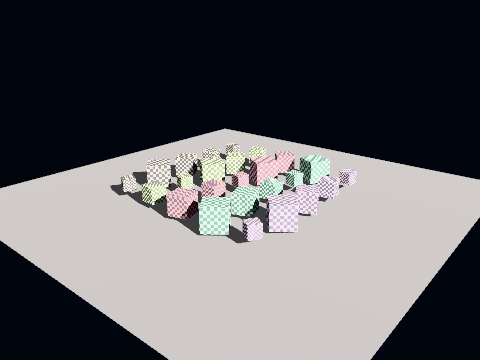
The picture is held twice. A software test draws sixteen cubes under a sun that casts, once as a batch and once as sixteen nodes, and holds the two within a silhouette's worth of pixels; and instanced-field is a golden scene in all three reference sets. Recording it found both view-model goldens stale on every backend: CI compares each set against the others, and all three had gone stale together.
Large meshes and memory #
A scan, a point-cloud surface or a CAD assembly runs to millions of vertices, and what it costs is arithmetic worth doing before the model is loaded.
A vertex is 64 bytes. VertexLayout.standard is position, normal, texture coordinate, tangent and colour, sixteen 32-bit floats, and every lit stage reads that layout, so a mesh without a tangent or a colour still carries their floats. A skinned vertex is 96. Indices are 16-bit up to 65 536 vertices and 32-bit past it.
And by default it is held twice. DeviceMesh.upload gives the device its buffers and keeps the MeshData it was given as source, because the device cannot be read back and the CPU still has questions to answer about the mesh: a Raycaster tests its triangles, debug views draw its normals, a collision shape is built from it. A model loaded through loadModelAsset keeps it the same way.
keepSourceData: false drops the host copy for a mesh the application builds itself:
final mesh = DeviceMesh.upload(engine.device, scan, keepSourceData: false);
What it costs is exact picking on the CPU. A raycast against that node falls back to its bounds, so a click anywhere inside the scan's box answers with the scan; Renderer.pickPixel still answers from the screen (picking by pixel), since it reads the GPU's own drawing. overwriteVertices keeps working, with bounds that only grow.
A mesh that keeps its source and is reshaped with overwriteVertices costs one more copy: the overwrite writes the same vertices into source so a ray hits the surface drawn, and the first one copies the vertices it was uploaded from, since that MeshData is the caller's and may be another mesh's source as well. For a scan that is reshaped, count the host copy's vertices twice; the indices are shared.
A worked budget, ten million vertices in one closed surface, about twenty million triangles:
| Device | Host copy | |
|---|---|---|
| Vertices, 10 M × 64 bytes | 640 MB | 640 MB |
| Indices, 60 M × 4 bytes | 240 MB | 240 MB |
| Total | 880 MB | 880 MB |
So about 1.76 GB kept, half of it on the CPU side, before a texture; with keepSourceData: false it is 880 MB. On the software rasteriser and on a phone's unified memory both columns come out of the same RAM. Splitting the scan into tiles of a few hundred thousand vertices helps culling, not memory: the total is the same.
A smaller vertex is not in 1.0. The four layouts are fixed for all of 1.x, and a minor may add a compact one as a new stage variant a material opts into, as CONTRACTS says beside the vertex layouts; a mesh that states no layout stays standard.
Precomputed visibility #
A brush level is the one kind of level occlusion culling is cheap for. LevelVisibility divides the empty space between the walls into cells three metres on a side and keeps a bit per pair saying whether they see each other. A frame asks which cell the eye is in and turns off every batch of brush geometry that touches no cell that one can see. The frustum still runs afterwards; the two answer different questions, and a room behind a wall in front of the camera is caught by this one alone.
dart run flutter3d_sim:bake_visibility assets/levels/crypt.json
# writes assets/levels/crypt.visibility.json beside it
LevelLoader reads the sidecar on its own. With a table, BrushGeometry bins each face by the cell its centre falls in, so a room's walls become that room's batches; a level whose walls are three batches has nothing a frame could leave out. A level without a table batches exactly as it did, which is what keeps every recorded picture where it is.
loaded.culler?.apply(eye); // once a frame, before render
The one failure the feature must not have is a room hidden while somebody can see into it. The bake is a sample, twenty-seven points a cell and rays through the level's own collision world, and every error is pushed the safe way: a cell no sample of which is in empty space is closed and an eye in one sees everything, a batch is drawn if any cell it overlaps is visible, and a query asks on behalf of every cell within a metre of the eye. That metre was measured, not chosen. Against fifty-five hundred random unblocked rays through three of the dungeon's levels, none crossed cells the table calls hidden at a metre, one at half a metre, twenty-two at nought. The price is culling: the crypt's standing point sees 54% of cells instead of 41%, paid for a room that never pops.
The table carries a hash of the brushes it was baked from and refuses, with a word, a level that has changed since; the dungeon's tests hold the committed sidecars fresh, so a brush moved without a re-bake fails CI rather than hiding a room at run time. The crypt bakes in half a minute and the vaults in two, which is a tool rather than a load. A hole blown in a wall drops the table for the rest of the run, since it is a line of sight the table does not know about.
Lightmaps #
The light a level's walls throw on each other, baked once and added at draw time. A brush face is a rectangle with its own two axes, so its unwrap is itself: the layout packs every visible face onto shelves at a stated density, computed from the level alone by the baker and by the geometry, so the sidecar beside the level carries pixels and a hash and no table that could go stale.
dart run flutter3d_build:lightmap --density 4 --bounces 2 --samples 64 assets/levels/crypt.json
# writes crypt.lightmap.bin beside it; --direct bakes the direct light in too, for looking at the unwrap
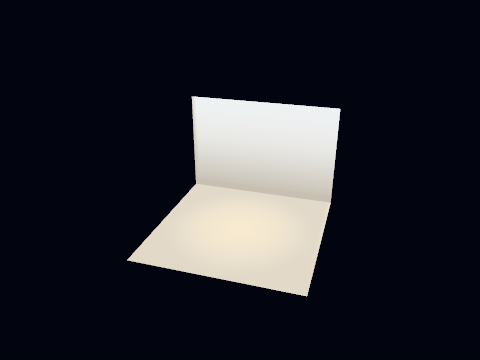
The baker gathers rather than solving form factors. Every texel sends cosine-weighted rays through the level's own collision world and averages what they hit reflects, a bounce at a time; the direct light and its shadows stay dynamic, so torches flicker and doors open, and the map carries the part that does not move. Texels are RGBM in plain RGBA8, decoded as rgb × a × 8 in the shader. The second texture coordinate rides in the colour attribute: MeshNode.lightmapped picks a vertex stage that reads color.xy as a place in the atlas and holds the tint at white, so there is no fourth vertex layout, and every lit model adds albedo × lightmap beside its ambient with a one-texel black bound where a material has none.
Seeded by the texel's index, so two bakes of the same level are the same bytes and CI can bake and compare. The crypt bakes in about twelve seconds at four texels a metre. A ramp's triangles point at a reserved texel holding the level's average bounce; a spot light bakes as a point, since the level format carries no cone; a textured material reflects a mid grey, since the bake reads no texture. The loader refuses a map whose hash does not match the level's brushes, lights and materials, with a sentence in the issues.
Anisotropic filtering #
A floor seen along its length covers a footprint on the texture that is a few texels tall and many texels wide, and a trilinear sampler picks one mip level for the whole of it: the level that stops the long axis aliasing blurs the short one, and the checks on the far side of a room melt into grey. An anisotropic sampler takes several taps along the long axis from a sharper level instead, and the checks stay checks.
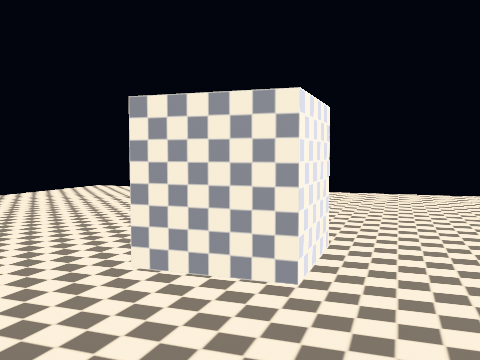
SamplerDescriptor.anisotropy is the count of taps, one by default so every picture is the bytes it was, and it sits on a trilinear sampler only: the taps are taken across the chain, and flutter_gpu refuses them on a nearest filter, so the constructor asserts it where the sampler is built. A request above DeviceLimits.maxSamplerAnisotropy is clamped by every backend rather than refused, which is what makes sixteen a safe thing to ask for.
// A level's brushes: decided once, from the device, by the bridge.
material.albedoSampler = LevelLoader.tilingSamplerFor(device); // min(8, maxAnisotropy)

// A model's textures: glTF has no way to ask, so a setting turns them up.
RenderSettings(anisotropy: 8) // applied to every trilinear material sampler at bind time
Two paths on purpose. A brush floor at a grazing angle is the surface the filter exists for, so the bridge hands a level's materials min(8, maxAnisotropy) when it builds them, eight being where a corridor stops visibly improving. A glTF sampler names filters and wrap modes and nothing about taps, so a model's textures arrive at one and RenderSettings.anisotropy is where a game raises them; it leaves a sampler that already carries a level alone, so turning the setting down for a slower phone does not turn a level's floors off.
HDR, exposure and tone mapping #
The scene renders into r16g16b16a16Float. Tone mapping (Khronos PBR Neutral), exposure and the sRGB encode all happen in the composite pass.
That ordering is what lets bloom exist at all: a bright pass needs values above display white to threshold on, and an LDR target has none.
RenderSettings(
  exposure: 1.6,   // a linear factor before the tone curve, not an EV100
  tonemap: true,   // off for a debug view: a normal-as-color is not a light value
  specular: 1.0,
)
exposure is a factor: twice the number is twice the light. The lights are in lux and candela, and the exposure a photographer would name, in stops, belongs to PhysicalCamera, whose exposure is the factor it makes. To expose a frame for a camera, hand that factor over:
final overcast = PhysicalCamera.atEv100(12.0); // f/4, ISO 100, a 1/256 s shutter
final settings = RenderSettings().copyWith(exposure: overcast.exposure);
The default, 1.6, is the reference camera's (f/4, 1/60 s, ISO 100, about EV 9.9), and PhysicalCamera.ev100ForExposure names the EV100 any factor stands for. Writing an EV100 into exposure directly (exposure: 12) multiplies the light by twelve and the frame comes out white. RenderSettings.camera takes the same camera another way: null by default, and when given it replaces exposure rather than multiplying it, so a camera set beside an exposure counts once. copyWith(clearCamera: true) takes it away again.
A clear colour is authored display-referred, but the scene target holds linear light and the composite pass encodes on the way out. Convert the clear to linear or it goes through the encode twice and the background washes out.
Colours that are data #
A heat map, a stress plot or a category's swatch is a colour a reader matches against a legend, and the tone curve, the exposure and bloom all move it. Two presets take them out. settings.forMeasurement() is for a frame read back as numbers: exposure one, no tone curve, the meter off, and every step that moves a pixel switched off, edge smoothing included, since a pixel on an edge would be a blend of two values. settings.dataColors() is for a picture a person reads: the same, with the look (grade, lens distortion, vignette, grain) off too, and edge smoothing left as it was, so the colour inside a surface is exact and its edge a blend rather than a staircase.
final plotView = ViewSettings(settings: const RenderSettings().dataColors());
// Scene3D(view: plotView, children: ...)
The material has to say the colour without lighting it: LightingModel.unlit, or the cookbook's colour_by_data.dart, which writes each vertex's value as a coordinate into a two-texel table and holds the read-back colours to the table's ends.
Window and level are the table's input range. A CT or an MRI viewer shows a slab of values, not all of them: the level is the value at the middle of the table and the window is how wide a range the table spreads over. Everything below the window is the table's first colour, and everything above is its last. In the recipe that is the coordinate written for each value:
double tableCoordinate(double value, {required double level, required double window}) {
  final t = ((value - level) / window + 0.5).clamp(0.0, 1.0);
  return 0.25 + 0.5 * t; // the centres of a two-texel table; for n texels, (0.5 + t * (n - 1)) / n
}
A soft-tissue window on a CT is about level 40, window 400 Hounsfield units, and a bone window about 400 and 1800. Changing either means writing the coordinates again and handing them to the mesh with overwriteVertices. That is fine for a slider someone lets go of. For a drag that moves the window every frame, keep the raw value in the vertex and do the mapping in a material of your own, with the level and the window as two uniforms (the material language). A grey ramp in 8-bit texels has 256 steps across the window, which is what a display shows anyway, and narrowing the window spends those steps on fewer values.
Print colour is converted outside the engine. The engine draws RGB: linear light inside, sRGB bytes out of capturePhoto. It has no CMYK target and reads no ICC profile. A packaging or print workflow renders the still at print size and converts the rows to CMYK with the printer's profile, in the app (LittleCMS through FFI, for example) or on the server that sends the job. Where a printed colour must match a swatch, draw that part unlit and capture with dataColors(), so the tone curve and the exposure do not move it:
await capturePhoto(
  renderer: exporter,
  scene: scene,
  camera: shot,
  width: 3508, // A4 landscape at 300 dpi
  height: 2480,
  settings: const RenderSettings().dataColors(),
  onRows: (rows) => toCmyk.add(rows.bytes), // your ICC conversion, strip by strip
);
For a proof on screen, go the other way: convert the brand's CMYK values to sRGB with the same profile once, and give those to the materials. A colour outside the printer's gamut still shows on screen, so a proof that must warn about that has to check the converted values itself.
Colour for every reader #
Light and dark. The view's background is the clear colour, so follow the platform's brightness with it the way the rest of the app does. Remember that it is linear light, so convert from the sRGB value a designer gives you:
final dark = MediaQuery.platformBrightnessOf(context) == Brightness.dark;
final background = dark
    ? LinearColor.fromSrgb(0.07, 0.07, 0.08)
    : LinearColor.fromSrgb(0.96, 0.96, 0.97);
// Scene3D(clearColor: background, children: ...)
High contrast. RenderSettings.highContrast is not limited to games. It flattens texture inside surfaces, drains the picture toward grey, pushes the tones apart and outlines every edge, and it rings each node that has a MeshNode.outlineColor in that colour, so the colour left in the frame is the colour you marked. Read the platform's own setting for it:
final contrast = RenderSettings(
  highContrast: HighContrastSettings(enabled: MediaQuery.highContrastOf(context)),
);
It costs the frame its multisampling, and because it drains colour it works against a heat map. Use it for a model viewer or a configurator. For a data plot, keep the plot's colours and make the table itself readable instead.
Colour vision. About one man in twelve does not tell red from green. ColorVision.confusions checks a palette before anybody sees it: it answers the pairs that someone missing a cone would see as nearly the same colour, which belongs in a test beside the legend:
final clashes = ColorVision.confusions(<String, RgbTriple>{
  'normal': const RgbTriple(r: 0.20, g: 0.65, b: 0.30),
  'warning': const RgbTriple(r: 0.90, g: 0.60, b: 0.10),
  'fault': const RgbTriple(r: 0.85, g: 0.20, b: 0.15),
});
for (final clash in clashes) {
  print('${clash.a} and ${clash.b} look alike to ${clash.by}');
}
The fix for a clash is a second cue, such as a pattern, a letter or a brightness step, or a table made to be read by everyone (viridis or cividis rather than a rainbow). ColorVision.correct(ColorVisionDeficiency.deutan).upload(device) makes a colour table that corrects the whole picture after the tone map, through LookSettings(lut:); ColorVision.simulate shows you the picture as someone with that deficiency sees it. A correction moves every colour, the data colours included, so on a plot the legend no longer matches unless it is corrected too. In a game, flutter3d_game keeps the player's choice in its settings (colorVisionOf) and hands the table to the look through ColorVisionLook.
Auto exposure #
The frame can set its own exposure. With it on, a small pass writes the lit scene's log luminance into a 64×64 eight-bit target, the device reads the bytes back without waiting for the GPU, and the composite exposes the next frame with what the meter answered, adapted at a rate rather than at once.
RenderSettings(
  autoExposure: AutoExposureSettings(
    enabled: true,          // off by default: every golden is recorded at `exposure`
    minExposure: 0.25,      // where the meter stops, whatever the frame says
    maxExposure: 8.0,
    speedUp: 1.5,           // per second, climbing into the dark
    speedDown: 3.0,         // and falling back into the light, faster
    target: 0.18,           // what the metered brightness is exposed to: middle grey
    lowPercentile: 0.8,     // the band of the histogram that counts —
    highPercentile: 0.98,   // the brightest fifth, so a dark corridor does not
  ),                        // push a torchlit wall past white
)
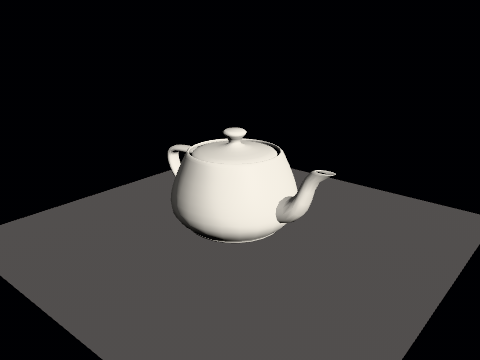
frame.exposure and renderer.exposure say what the composite used. The dungeon turns this on: a room with a torch in view is exposed to the torchlit walls, and a corridor with none in view brightens until it can be seen, the way eyes do.
Metered in stops, adapted in stops. Halving and doubling the exposure are the same size of step to an eye, and a lerp on the multiplier would make the climb out of a dark room ten times faster than the fall into it. The band rather than the mean: darkness is most of most frames, and a mean of every texel meters the far wall and blows out whatever is lit. And a frame or two late by construction: GraphicsDevice.readback answers with the frame as the passes before the call left it and never stalls on the GPU, so the exposure a frame is composited at is what the frame before was metered at. The golden scene adapts at an infinite rate for exactly that reason: the frame captured has to be the frame after any metered one whatever the clock did between them.
Local exposure #
One exposure cannot show a dark room and the bright window in it: the meter picks one and the other goes black or white. Local exposure gives each part of the frame its own.
RenderSettings(
  localExposure: LocalExposureSettings(
    enabled: true,         // off by default
    strength: 0.7,         // nought is the one global exposure, one the full local answer
    shadowStops: 2.0,      // how far the dark parts may be lifted
    highlightStops: 2.0,   // and how far the bright ones brought down
  ),
)
It takes the lit picture (after the temporal resolve, when one runs) three times over, shadowStops up, as it is and highlightStops down, weighs at each place how close to mid grey each would come out, blurs the weights wide so no edge grows a halo, and hands the composite an exposure per place, applied before the tone curve. It is measured at an eighth of the frame and applied bilinearly: three small passes, and the blur is wide enough that nothing finer would survive it anyway.
Display transforms #
LookSettings.displayTransform puts a baked float colour table where the tone curve was, indexed through a log2 shaper that covers ten stops below mid grey and ten above, past the 128 where the SDR tonescale reaches the display's peak. TonemapCurve.aces2 is the table the engine ships: the ACES 2.0 SDR tonescale at 100 nits with the hue held. It is the tonescale alone, without the reference transform's gamut mapping. A table set on the look wins over whichever curve is chosen, and tonemap: false still turns it off with the rest.
HDR output #
The composite normally encodes an eight-bit, tone-mapped, graded and dithered frame. OutputTransform.extendedSrgb asks for the frame exposed but not tone-mapped, in the sRGB transfer extended past one, where reference white is one and a highlight above it is brighter than white on a display that can show it.
RenderSettings(outputTransform: OutputTransform.extendedSrgb) // OutputTransform.sdr by default
It takes effect only on a device whose hdrOutputFormats is not empty, and today that is WebGPU in a browser that reports a high dynamic range display, which answers rgba16float and reconfigures its canvas to match. Impeller, WebGL2 and the software rasteriser answer an empty list, and there the setting draws the SDR frame byte for byte. The colour table and the dither are left out of the extended frame: a table is authored for the SDR range, and a float target does not band.
Bloom #
Built from a chain of half-size render targets instead of from mip levels. flutter_gpu had none when it was written, and now that it does, a bloom chain still wants separate targets it can blur between.
const BloomSettings(
  enabled: true,
  threshold: 1.0,    // display white — the only value with a physical meaning
  knee: 0.5,         // soft ramp below it, so the glow has no visible contour
  intensity: 0.06,
  levels: 5,         // each halving doubles the reach; this is the radius control
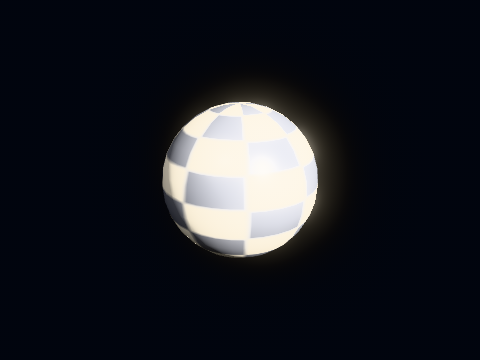
  filterRadius: 1.0,
)
Shadows #
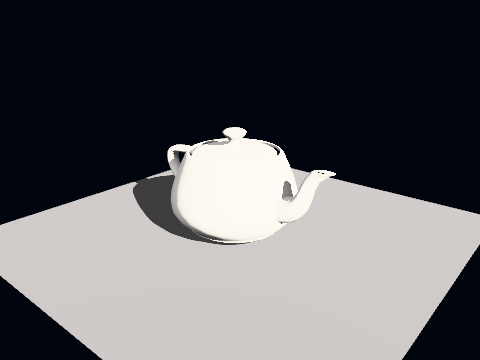
The shadow pass is a render view whose camera is the light, with an orthographic volume fitted to the scene. Depth goes into a colour target, because depth textures cannot be sampled on this platform. The sun records both faces of every caster (directionalCasterFaces, since 0.8.2), so a room's inside corners do not leak light and a one-sided wall still casts; a lamp's cube map records the back faces (casterFaces). The lookup is PCF 3×3 with both a depth bias and a normal offset.
The sun, spot lights and point lights cast. A rectangle (area) light lights its panel's whole shape but casts no shadow in rc.2; soft shadows from area lights come in rc.3. Until then, a point light at the panel's centre with castsShadow on and its own intensity turned down stands in for the shadow.
Cascades #
A single directional map fitted to the whole scene spends its resolution on ground the camera cannot see. On a level 120 m × 260 m that is about fourteen centimetres of world per texel, which draws a character's own shadow as a blurred slab beside them. It was reported as the character being drawn twice.
const ShadowSettings(
  cascades: 3,        // one to three, laid out side by side in one texture
  cascadeSplit: 0.7,  // 0 = even by distance, 1 = logarithmic
  resolution: 1024,
  bias: 0.0015,
  normalOffset: 0.02,
  directionalCasterFaces: ShadowCasterFaces.both,  // the sun; `casterFaces` is the lamps'
)
The atlas is resolution × cascades wide and eight bytes a pixel. The default is three cascades of 1024 (3072 × 1024, about 25 MB), and the trap it exists to avoid is raising the count without lowering the tile: three of 2048 is a six-thousand-pixel HDR texture and about a hundred megabytes for a picture only a little better. A game wants cascades and a smaller tile, not a large tile without them: three tiles of 1024 cover a level far better than one of 4096.
Cascades add no passes and no extra samplers. They share one texture and the fragment shader binds the same slot.
Since 0.8.0 a tile is redrawn only when its own matrix or the casters inside its volume change, so a camera walking past still casters redraws nothing. Casters marked shadowIsStatic go into an atlas of their own that each frame's tile starts from; as the camera walks, that atlas is scrolled by whole texels and only the strips that came into view are drawn. A near cascade pulls its depth range back to the furthest caster towards the light, so a tall caster standing outside the cascade's sphere still shades the floor it covers, and every PCF tap stays inside its own cascade's tile.
Soft sun shadows and EVSM #
const ShadowSettings(
  directionalLightRadius: 0.0047, // radians: the sun's apparent radius; 0 is the 3×3 kernel
  filter: ShadowFilter.evsm,      // pcf, pcss or evsm; null follows the radius
)
With a radius above nought and no filter named, the sun's shadow is contact-hardening: sixteen taps search for the blocker and sixteen filter, on a Vogel disc, and the penumbra is worked out in metres from the gap between blocker and receiver, so a shadow keeps its softness crossing from one cascade into the next. ShadowFilter.evsm blurs the atlas once into exponential moments and reads the shadow with one filtered tap. It costs an rgba32f atlas and two blur passes (the shadow moments node), and it needs supportsFloat32Filtering: Impeller answers false, WebGL2 answers true only where OES_texture_float_linear was granted. A device that answers false reports the pass in FrameResult.skipped as PassSkip.unsupported, and the frame falls back to the 3×3 kernel.
A filter is drawn through a ShadowTechnique, and ShadowFilter.custom('mine', base: ShadowFilter.pcf, technique: MyTechnique()) names one of your own. A technique answers the cascade count, the stage that blurs the depth into moments (a ShadowPrefilter, which can be a stage from your own bundle), and the lookup the lit draws make with its parameters (ShadowKernel.box3x3, .blockerSearch(lightRadius:) or .moments(bleedReduction:)). The lookups themselves are compiled into the engine's lit stages; a different one means a lit stage of your own.
Point lights #
Point shadows use a cube atlas with its own bias, normal offset and a softness estimate that hardens contacts.
const ShadowSettings(
  pointBias: 0.08,           // in meters, unlike the directional bias
  pointNormalOffset: 1.5,    // in texels of a cube face, so it grows with range
  pointSoftness: 4.0,
  pointLightRadius: 0.0,     // > 0 turns on the penumbra estimate
  pointMaxSoftness: 16.0,
)
What casts, and the static half #
Each mesh node says whether it belongs in a light's view at all:
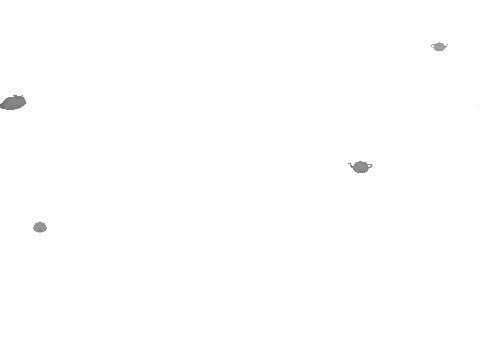
ground.shadowCasting = ShadowCastingMode.off;           // receives, never casts
leaves.shadowCasting = ShadowCastingMode.doubleSided;   // from every face, whatever either caster-faces setting says
proxy.shadowCasting = ShadowCastingMode.shadowsOnly;    // in the maps, not in the picture
off is what a ground plane wants, and what anything following the camera needs: a weapon view model has no business in a light's view. shadowsOnly is a low-polygon stand-in that casts on behalf of a mesh too expensive to draw into six faces a frame.
A point light keeps two cube atlases, one for what moves and one for what does not, and the static one is drawn once at load; shadowIsStatic = true on a node puts it there. It is redrawn when the rows change hands, when the texture is reallocated and when a setting the pass reads changes. StaticBakeKey names which settings those are, the caster faces, the padding and the tile, and leaves out the ones only the lookup reads, since baking again for a bias would redraw six views of the level to produce the pixels already there. Scene.invalidateStaticShadows() is for a level that changed underneath, which is what a hole blown in a wall calls.
showPointShadowDebug paints the penumbra estimate into the surface buffer and composites that instead of the lit image: red is penumbra width, green is blocker distance, blue means the search found nothing. It exists because two explanations for a broken contact-hardening estimate were argued from the finished picture and both were wrong. The quantity that settles it never left the shader, so the debugging was five runs of guessing where it should have been one run of looking.
X-ray silhouettes #
Name a layer, and whatever is on it is drawn through the walls as a flat colour wherever the walls hide it.
monster.layerMask = 1 | actors;          // its own layer, beside the default

RenderSettings(
  xray: XraySettings(layerMask: actors), // off while the mask is zero
)
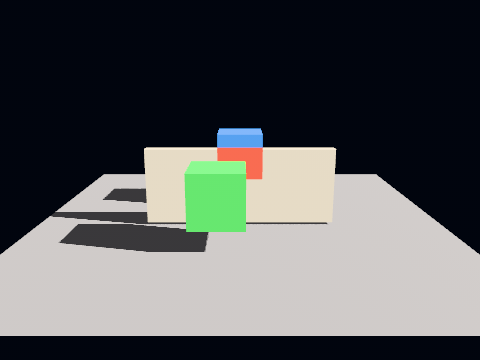
Two draws per marked node at the end of the scene pass, and a stencil between them. The first marks: the node is drawn again with no colour (BlendState.keepDestination, since flutter_gpu has no colour write mask and a discarded fragment writes no stencil) and a depth test of lessEqual, storing one wherever a fragment passes, which after the opaque half is exactly where the node is visible. The second paints: a flat unlit colour with a depth test of greater, only where something nearer is in the buffer, and a stencil test of notEqual one, only where no marked node's visible part is.
A depth test alone is not enough, and the picture above is why: the far cube's hidden faces reach, on screen, across the near cube's lit face, and a greater test would paint them there. A monster half behind a doorway would have its visible half painted flat by its own hidden half. Every mark is written before any paint, so the visible parts of all of them are held.
The colour is linear light, before exposure and the tone curve; fog is left off the silhouette, since a sensor that lost its monsters to the far end of a corridor would be a sensor with the corridor's own range. On a device whose supportsStencil is false the stage draws nothing, and a scene with no layer named emits not one stencil call, which is what keeps every other picture on this page the bytes it was. The dungeon's sensor power-up switches it on for the actors' layer for as long as the power-up lasts.
Both extra draws use a fragment shader of their own (unlit.frag with its second output compiled away), so neither writes the surface buffer below. This matters for correctness: the silhouette is drawn precisely where its node is behind what the depth buffer holds, so an unlit silhouette handed the ambient occlusion and the reflections a hidden monster's normal and depth in place of the wall's, and no blend state could take it back: blending covers the first attachment, and only the backends whose setBlend takes an attachment index at all. A software test renders one scene with showSurfaceBuffer twice, silhouettes on and off, and holds the two frames byte-identical.
Two silences to know about before one is reported as a bug. The stage draws from the render list, which is what survived culling, so a marked node the frustum test or a level's precomputed visibility dropped has no silhouette. That is the culler's answer, not this stage's, and it is why a sensor does not show the monster in the next room. And only opaque geometry writes depth, so only opaque geometry hides: something behind glass or behind a sheet of particles is in front of everything the depth buffer knows about and is drawn as itself. A marked node whose own material is transparent is unaffected, and gets the silhouette an opaque one would.
The surface buffer #
The scene pass can write a second attachment holding world-space normal and distance, for a screen-space effect to read.
RenderSettings(
  surfaceBuffer: true,       // fill it
  showSurfaceBuffer: false,  // composite it instead of the scene, to check it
)
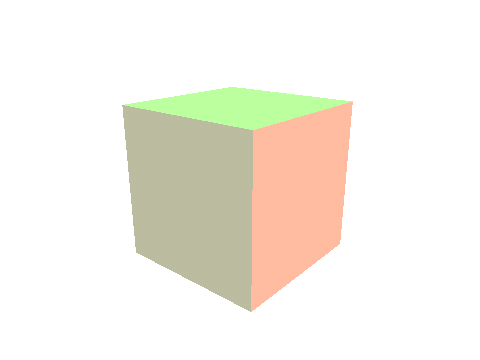
The alpha is a depth along the view axis in world metres, not a window depth, and the difference shows on screen. The attachment is r16g16b16a16Float on every backend, and a window depth spends almost the whole of its [0, 1] on the first few metres: past twenty, its half-float steps are wider than half a metre, so a wall at twenty and one at twenty and a half store the same number. Both passes that read this buffer decide occlusion by subtracting two of them, and the rounding decided whole bands of the picture at once: vertical stripes along the lines of equal depth, in every scene with a wall in it. Metres are uniform: half a metre at twenty and half a metre at one look the same to the format. Both numbers are measured in flutter3d/test/surface_depth_test.dart.
Half-float metres have a ceiling. The largest half float is 65 504, so the buffer's depth stops at about 65 km, and at 10 km it steps by about eight metres. The picture itself is not limited by this, since the depth test uses the depth buffer. What it limits is everything that reads this buffer: ambient occlusion, screen-space reflections, depth of field, fog, outlines, Hi-Z culling and a material's sceneDepth. A terrain seen from an aircraft or a planet seen from orbit draws correctly, but those effects get coarse or flat in the distance. Keep them for the near scene, or bring the far scene closer with a scale of your own. A 32-bit depth in this buffer comes in rc.3. A floating origin (originShift, above) keeps vertex positions precise, but it does not change this ceiling, because the distance is measured from the camera.
Reconstructing a point from that depth is a ray crossing a plane rather than a matrix multiply, so the reading passes are handed the camera position and the direction it looks alongside the inverse matrix. Both ends of the pixel's ray are unprojected, rather than starting it at the camera: an orthographic camera's rays are parallel and meet nowhere, so a reconstruction anchored at the camera position is right on a perspective camera and wrong on an isometric scene, with nothing reported. viewAxisOf reads the same axis out of a matrix for the places that have one and no camera: a frame graph contributor, a reflection probe's faces.
The shaders write it either way, a pipeline may declare more outputs than its target has attachments, so the flag is purely whether anybody is listening. Whether it is needed is answered by the compiled frame graph instead of by a setting, because a setting cannot see what nodes an application registered: CompiledFrameGraph.isConsumed(FrameResourceIds.surfaceBuffer).
Screen-space reflections #
const ReflectionSettings(
  enabled: true,     // the only field this differs from the defaults in
  steps: 32,         // ray march length; the shader stops at 64 whatever this says
  stride: 0.1,       // world meters a step advances
  thickness: 0.12,   // how thick a surface is taken to be, in world meters
  intensity: 0.7,
  debugOnly: false,
)
SSR reads the surface buffer, so turning it on implies filling one.
thickness is in metres, and a little over stride on purpose: a ray whose step is longer than the surface is thick straddles it and finds nothing. It used to be in window depth, which is a few centimetres near the camera and several metres a room away, and one value could not be both. stride is in world metres too, so a stride of 2 marches straight over anything thin. Both are the kind of number that looks harmless in an example and is an order of magnitude out, which is why the block above is the declared defaults with nothing changed but enabled.
Ambient occlusion #
const AmbientOcclusionSettings(
  enabled: true,
  radius: 0.5,     // world meters a surface looks for things blocking its sky
  samples: 12,     // the shader's loop is bounded at twelve whatever this says
  strength: 0.8,   // how dark a fully enclosed corner goes
  bias: 0.02,      // in meters, so one tuning works at every range
)
What it darkens is the ambient term, nothing else: applied to everything it stops being occlusion and becomes dirt in the corners, and it reads as a mistake under direct light. The occlusion is drawn into its own target and applied in the composite, after bloom has read the scene, so a glowing crack in a corner keeps glowing.
Like SSR it reads the surface buffer, and filling that turns MSAA off for the whole scene pass: the average of two octahedral normals encodes no normal. Switching it on therefore changes the antialiasing of the entire frame, not only the corners.
Horizon-based occlusion and bounced light #
const AmbientOcclusionSettings(
  enabled: true,
  method: AmbientOcclusionMethod.gtao, // ssao by default; gtao or ssil
  thickness: 0.3,                      // meters, read only by ssil
)
gtao finds the horizon on either side of two slices per pixel and integrates the visibility between them, with a multi-bounce fit where an albedo buffer exists, so a white corner darkens less than a dark one. ssil marches the same slices, takes each sample as a slab thickness deep covering a run of sixteen sectors, and adds the light of the sectors it uncovers first, bounced onto the point by the albedo: occlusion and one bounce from one march, so a red wall tints the floor beside it. The slab is why a pole a few centimetres across shades the wall behind it and lets the light past on either side.
Both read the albedo buffer, a third scene attachment. A device that opens only two colour attachments draws them grey, with no colour in the bounce.
Fog #
FogSettings(
  color: const LinearColor(0.05, 0.07, 0.12),
  density: 0.004,
)
The fog lies on the ground: it is density thick at baseHeight (nought) and thins upwards by heightFalloff, 0.05 per metre unless you say otherwise, which halves it every fourteen metres. At eye height that is within a tenth of density; a roof ten metres up stands in six tenths of it. The ray is integrated in closed form, an exponential more than a flat fog and no extra pass. heightFalloff: 0.0 is the flat fog, the same numbers to the bit. Particles and splats thin upwards with it, integrated the same way.
Every lit shader applies fog as it writes the HDR target (ApplyFog in lib/color.glsl, called from WriteSurface), in linear space, before the tone map. It is not a post pass, and for an extension that difference decides who gets fog: a shader that writes the frame directly writes the fog with it, so a lighting model of your own gets fog for free and a post pass of your own does not. A level document can carry its own fogColor and fogDensity, which is how the games get theirs.
Volumetric fog #
Distance fog ignores the lights. VolumetricFogSettings fills the air with their glow: each view ray is marched through a medium that thins with height, and at every step the sun's cascades say whether the sun reaches that point and, with clusteredLights on, the view's light cells say which torches do.
RenderSettings(
  volumetricFog: VolumetricFogSettings(
    enabled: true,        // off by default
    density: 0.02,        // extinction per metre at baseHeight; 0.2 is a smoky crypt
    heightFalloff: 0.0,   // per metre; 0.5 halves the density about every metre and a half
    anisotropy: 0.3,      // Henyey-Greenstein g: a mild forward lobe
    steps: 24,            // at most 64 in the shader
    distance: 40.0,       // meters marched
  ),
)
It is marched at half resolution and brought up by depth, so a halo behind a pillar stops at the pillar's edge. Two full-screen passes, one of them a march with a shadow lookup and a cell's lights at every step. A point or spot light that holds a row of the cube shadow atlas is shadowed in the air too, so a torch's glow stops at the wall beside it; a light with no row (castsShadow off, or past the atlas's six) still reaches through. With lightShafts on as well the sun is scattered twice; the two are alternatives.
Sky #
SkySettings(
  enabled: true,        // off by default: 97 goldens are recorded against none
  zenith: const LinearColor(0.10, 0.22, 0.52),
  horizon: const LinearColor(0.42, 0.50, 0.62),
  nadir: const LinearColor(0.06, 0.06, 0.07),   // what fills the frame looking down at nothing
  sunIntensity: 20.0,   // 0 means no disc; the target is HDR, so far above 1 is fine
)
A sky switched on with none of zenith, horizon, nadir or sunColor given is the physical one, const PhysicalSky(): single scattering by molecules and haze, so the colours come from where the sun is, and stars once it is down. Name any of those colours, as above, and you get the gradient you named; set physical: for other air. It costs more than the gradient: sixteen samples along each view ray and eight towards the sun from each, per pixel of sky, with no precomputed table yet. On a phone looking mostly at sky, the gradient is the cheaper choice.
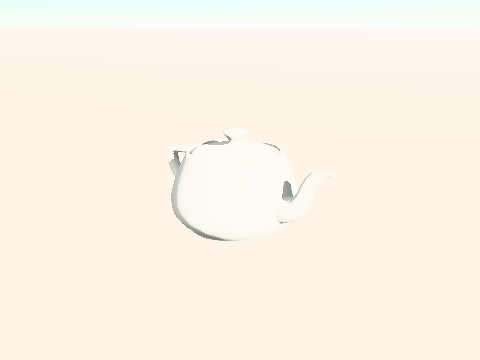
One full-screen triangle, encoded inside the scene pass between the opaque half and the transparent half: after the opaque half so that every covered pixel fails the depth test before the sky's fragment stage runs, and before the transparent half so glass has something to blend with. The gradient is three stops plus a scattering lobe and an analytic sun disc; a cubemap replaces it, or the air, with a tint on top. Colours are linear and scene-referred, multiplied by exposure and rolled through the tone curve like everything else, so the first sky anybody writes looks too bright. SkySettings.sample(direction) runs the same arithmetic on the CPU, for a fog colour that has to match the horizon or a light picked from the sky.
The painted alternative is SkyDome with a SkyGradient, an inside-out sphere with the colours baked into its vertices. It needs no shader and, unlike a frame-wide setting, can differ per CameraView; what it cannot do is a sun disc, and fog eats it unless it stays small and follows the camera.
Photographed environments come in rc.3. rc.2 does not read an .hdr or .exr panorama, so a studio HDRI is not yet one line. Also missing for now: turning the environment around the model, an equirectangular photo as the background, a video behind the scene, and named environment presets. What rc.2 has is the physical sky, the gradient, a cube texture you upload yourself as cubemap, a ReflectionProbeNode that captures the scene you built, and a see-through view (above) for a photo or a video that Flutter draws behind the model.
Reflection probes #
A metal reflects what is around it, and a sky is only what is around it outdoors. A ReflectionProbeNode is the scene seen from a point: six views drawn into the faces of a cube, convolved into a roughness chain on the device, and read by the physical model of every mesh near enough.
final probe = ReflectionProbeNode(
  radius: 4.0,                    // how far a mesh may be and still reflect it; 0 reaches everything
  intensity: 1.0,                 // the room as it was drawn; its own knob, not the scene's ambient
  faceSize: 64,                   // each face's edge; 64 is a car body or a mirror ball
  levels: 4,                      // roughness levels below the mirror
  refreshFaceEveryFrame: true,    // one face a frame, for something that moves
  near: 0.5,                      // nearer than this is not in the picture
)..setPosition(0.0, 0.7, 0.0);
probe.excluded.add(mirrorBall);   // a ball must not reflect itself
scene.add(probe);
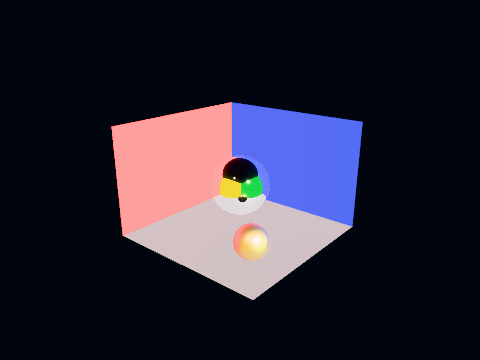
Two ways of keeping one current. Left alone, the six faces are captured together the first frame the probe is seen and then kept until invalidate() says the room changed: one per room at load, which is what a dungeon wants. One probe does that per frame and the rest wait their turn, so a crypt with four rooms stands over four frames instead of drawing twenty-four views of an unculled level in one; a probe still waiting binds nothing rather than an allocation nobody has drawn into, and the level goes on drawing every batch until the last of them stands. With refreshFaceEveryFrame one face is re-captured each frame, so the cube is six frames behind at worst and a frame costs one view of the scene plus the filter. That suits a car body reflecting the track going past, which is what the racing demo's player car does. A mesh takes the nearest probe whose radius reaches its centre, one per object and no blending, and falls back to the scene's environment where none does.
A probe is read as though the room were infinitely far away, which is right for a car in the open and slightly off for a mirror close to a wall: the reflection does not shift as the surface moves across the room. Box-projected probes, which correct this for a room of known size, come in rc.3. Until then, a probe at the middle of the room and a modest radius keep the error small, and a flat mirror is better served by planar reflections.
A level asks for one with a reflection_probe entity (the format's own word, which a game puts in its vocabulary with ReflectionProbeKind), and LevelLoader builds a kept probe where the entity stands; the dungeon's generators put one at the middle of every room. isCaptured says when every face stands, and a level with a visibility table applies it through LoadedLevel.cull, which holds the culler until then: a kept probe captured after the culler had hidden every room but the player's would be a picture of walls with nothing beyond them.
What a rolling one costs was measured on the racing demo's frame (the player's car with refreshFaceEveryFrame, one sixty-four-pixel face redrawn a frame and the chain refiltered) through --dart-define=FLUTTER3D_TIMINGS=true, with the probe switched off by FLUTTER3D_PLAYER_PROBE=false for the comparison and the same span of race time on both sides. On Impeller (macOS, Apple M3 Pro, a profile build) the build half of a frame goes from 4.7 to 7.0 ms and the raster half stays at 0.2; in Chrome (WebAssembly, 960×540) from 16.2 to 17.2 ms, in both halves alike. Two milliseconds and one: a face is one more walk over every mesh in the scene, encoded again from another point, and the thirty filter passes behind it are small. A kept probe costs that once, on the frame it is captured, and nothing after.
A probe is read at its own intensity, one by default, and not at Scene.ambientIntensity. A sky environment stands in for indirect light and shares the ambient knob with the flat term, so a scene that dims one dims both; a probe is that light measured (the torch-lit walls at the strength the frame drew them), and a crypt whose ambient sits at six per cent would otherwise reflect its walls at six per cent, which is a room nobody can see. Where a probe is read the flat ambient is not, so the two never add. A lightmapped surface reads no probe at all, for the same reason from the other side: the bake already is the indirect light there, measured per texel, and a probe over it would count the room's bounce twice. So a crypt's walls keep their bake and its props take the probe, which is also why a probe costs a dungeon nothing on the surfaces it has the least to say about, a rough wall's specular lobe being very nearly nothing. The capture draws every mesh through the same encoder as the world, with the frame's lights and shadows and the sky behind them, but binds no probe of its own: a probe drawn into a probe would read a cube that may not have been filled yet.
A cube map is addressed by a left-handed table (on the +X face, column zero looks along +Z), and a right-handed camera puts every face's left on the right, so each view is drawn through a mirror and the winding is flipped with it; a backend whose row zero is at the bottom negates y as well, which makes the two a half turn and leaves the winding alone. Nothing in a picture says whether a face is mirrored, which is why the face table is tested by projecting known directions on both origins, and why the conformance suite clears one face of one level and reads it back through the very stage that fills the chain.
Planar reflections #
A probe is a cube seen from one point, which is right for a ball and wrong for a floor: the reflection in a floor depends on where you stand. A PlanarReflectorNode draws the world again through the view's own camera mirrored in a plane, so a mirror, a polished hall or a still pool shows what is actually above it from where the eye actually is.
final mirror = MeshNode(DeviceMesh.upload(device, const PlaneShape(width: 3, depth: 2).build()), floorMaterial);
scene
  ..add(mirror)
  ..add(PlanarReflectorNode(surfaces: [mirror], reflectance: 1.0));  // 0.02 for water
renderer.render(/* … */, settings: const RenderSettings(
  planarReflections: PlanarReflectionSettings(enabled: true),
));
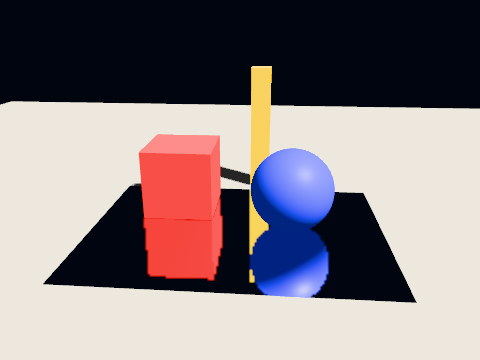
The plane goes through the node's origin, with its local +Y as the side it is seen from; a camera behind it sees no reflection. The surfaces keep their own materials, and the reflection is laid over each of them straight after the opaque half of the scene pass, on exactly the pixels the surface won, weighted by Schlick's Fresnel from reflectance. With one the surface is a mirror at every angle; with water's 0.02 it reflects little looking down and nearly everything along the horizon. The picture is read by the pixel's place on screen, which is why it is drawn per view and at the view's own projection, at resolution of its size (half by default).
Nothing below the plane may come up through it, and no stage here has a clip distance to write. So the mirrored camera's near plane is moved onto the mirror itself, the oblique frustum of Lengyel's 2005 paper: the rasteriser's own near clip does the cut, and what it costs is the far plane, which tilts. clipOffset lowers the cut a centimetre so a wall standing on the floor keeps its foot in the reflection. The software backend used to clip only at the eye and had to learn to drop fragments outside the depth range, as every GPU does, before it drew the same picture.
It is off by default and costs a second drawing of the scene per view while it is on. Neither particles nor anything else a contributor draws is in the reflection, nothing is reflected twice, and a surface that blends is drawn after its reflection, so on transparent water the picture lies under the water rather than on it.
Cameras into textures #
The same pass, pointed through an ordinary camera, is public as a texture view, CameraView.texture: a monitor, a portal, a minimap.
final feed = CameraView.texture(device, camera: securityCamera, width: 256, height: 192);
feed.excluded.add(monitor);   // a screen must not film itself
scene.addTextureView(feed);
monitor.material = RenderMaterial(lighting: LightingModel.unlit, albedo: feed.texture);
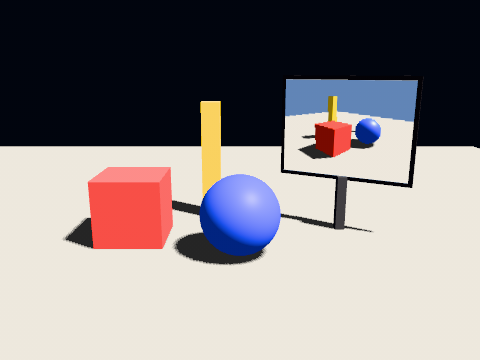
It is drawn before the scene, so a material shows the picture in the frame it was taken. The texture holds sRGB bytes with the top of the picture in its first row on every backend, the way an uploaded image does, so it goes into an albedo or emissive slot like any picture: unlit, it shows what the camera saw; lit, it is lit again, like a printed photograph. The light is exposed as the screen's is and clipped, and tone mapping is left to the frame that shows it: CameraViewSettings.exposure left null takes the exposure of the view's own settings, or the frame's where it has none (exposureIn(frame) answers which), so a monitor shows the room as bright as the screen does. A number there replaces it. A texture view does not meter, so auto exposure does not reach it. CameraViewSettings(refreshEveryFrame: false) draws it once and then only after invalidate(). No post chain runs on it.
A dome or fisheye is not a built-in projection. A camera is perspective or orthographic in 1.0. A planetarium's dome master, or any projection wider than about 120 degrees, is drawn the way dome software usually does it: five or six CameraView.texture views at 90 degrees, each a face of a cube around the eye, combined into the circle in a pass of your own, either a plugin's render step or offline from captured stills. That combining step is yours to write in rc.2. A panorama node that does it comes in 1.x.
The look #
Grading, vignette, grain and dispersion, applied inside the composite after the tone map. Everything defaults to doing nothing exactly: a vignette of zero multiplies by one and grain of zero adds zero, so a scene that asks for none of it composites to the same bytes it did before this existed.
const LookSettings(
  contrast: 1.05,      // pivoted about mid grey, so it does not also raise exposure
  saturation: 1.1,     // zero is luminance alone
  temperature: 0.1,    // warm above zero, cool below, in the range −1 to 1
  vignette: 0.3,
  grain: 0.04,         // static, not animated: a shader reading a frame counter
                       // is a shader whose golden differs every run
  chromaticAberration: 0.005,
)
The order inside the composite is the one a camera imposes: the lens disperses colour before the sensor sees it, grading is a decision about a displayable image and follows the tone map, and grain and vignette are the film and the barrel, so they come last.
Every setting above is on this page as a number; the same pipeline running against six torches and a lot of dark stone is easier to read as a picture.
The lit models #
Four switches change how the lit stages compute light. Each is off by default, and a frame that leaves them off draws what it drew before they existed.
RenderSettings(
  energyCompensation: true,        // rough metals keep their brightness
  diffuseModel: DiffuseModel.eon,  // DiffuseModel.lambert by default
  clusteredLights: true,           // each fragment lit by the lights of its own cell
)
energyCompensation puts back the light a single GGX bounce loses. A microfacet model counts one bounce off the facets and nothing after it, so the rougher a metal, the more of its reflection is missing, and a rough gold sphere comes out darker than a polished one. On, the direct specular is scaled by 1 + f0·(1/E − 1), with E the albedo the split sum already computes, and the environment gets a multiple-scattering term. Dielectrics barely move. Arithmetic only.
DiffuseModel.eon swaps the Lambert lobe of pbr and pbrLayered for the energy-preserving Oren-Nayar lobe of Portsmouth, Kutz and Hill (2024), rough by the material's own roughness. Lambert treats a rough dielectric as a flat one, so clay, plaster and concrete come out as bright at the rim as head-on, which reads as plastic. EON flattens the falloff, lifts the side facing the light, and adds back the light that bounces between facets, so a white surface under a white sky still reflects all of it. A smooth surface is Lambert. Arithmetic only, with no table and no sampler; the other lighting models keep their own diffuse.
clusteredLights changes which lights a fragment sees. A draw is handed eight slots and a tail of twenty-four, ranked against its bounding sphere, so a floor spanning the map is lit by the thirty-two brightest lights anywhere on it. On, each view is cut into 16 × 9 tiles and 24 depth slices on the CPU, every cell lists the lights whose range reaches it, and the tail comes from the fragment's own cell: a floor under sixty-four lights is lit by all of them. The eight slots stay, and with them the only shadowed lights. It takes effect only when a scene has more lights than the slots and no light channels are in use, and it is what lets volumetric fog see the torches.
An IrradianceField is now read at every pixel: the eight probes around each fragment, weighted trilinearly, by facing and by a visibility bound from the stored depth moments, where 0.7 took one sample at the node's centre. The old path also scaled the result by the ambient strength twice, so a room lit by a field changes brightness. IrradianceField.gpuUpdates (nought by default) updates that many probes a frame on the GPU, round robin, each keeping hysteresis (0.9) of its old value, so the field follows a room that changes and gains a bounce each pass. It needs cube textures and a second colour attachment; elsewhere the bake stands. Renderer.irradianceAtlas is the texture the lit stages read.
Temporal anti-aliasing #
MSAA is lost the moment anything reads the surface buffer, and most of the screen-space effects on this page do. The temporal resolve is the anti-aliasing that survives them: the scene is drawn a fraction of a pixel off each frame, and each frame is blended into the history of the ones before it, reprojected through the motion of every pixel.
RenderSettings(
  renderScale: 0.75,              // optional: the scene drawn smaller, the frame rebuilt at full size
  antiAlias: AntiAliasSettings(
    temporal: TemporalSettings(
      enabled: true,              // off by default
      sequenceLength: 16,         // Halton(2, 3) offsets before the jitter repeats
      historyWeight: 0.9,         // how much of each resolved pixel is history
      sharpen: 0.25,              // contrast-adaptive sharpen after the resolve; 0 skips it
      clip: TemporalClip.aabb,    // or kdop8, kdop16, kdop32
      reactive: 0.0,              // how far particles, splats and blended meshes cut the history
    ),
  ),
)
The projection is jittered through JitteredProjection, and Renderer.frameIndex picks the offset. A camera velocity pass reconstructs each pixel's point from the surface buffer and carries it through last frame's view-projection; an object velocity pass then draws again every opaque node FrameHistory says moved, with this frame's and last frame's transforms, morph weights and skinning palettes. The resolve reads both. With a renderScale below one, the scene and everything that reads its buffers draw at the smaller size, and the resolve, bloom, the composite and the frame are at the size that was asked for; material maps are read with a mip bias of log2(renderScale) − 0.5 so they stay as sharp as the output they end up in.
What it costs: the two velocity passes, one draw per moved node, and two output-sized history targets. It needs the surface buffer, so it turns MSAA off (FrameResult.antiAliasing.temporal says so), and on a device that opens only one colour attachment it does nothing at all: there is no jitter where there can be no resolve, since a jittered picture nobody averages shakes. The first frame after it is switched on has no history, so a frame drawn once, a thumbnail or a golden, comes out a fraction of a pixel off and unresolved.
The clip. The history is pulled into the colours this frame's neighbourhood could make, so a pixel that was a crate's edge and is now floor does not remember the crate. TemporalClip.aabb is a variance-tightened box in YCoCg, cheap and loose along every diagonal of colour space: a history colour of the right brightness and the wrong hue can sit inside it, which is the trail a red object leaves on green. kdop8, kdop16 and kdop32 bound the neighbourhood by slabs along 4, 8 and 16 axes, each set containing the box's three, and remove that trail at the price of more arithmetic per pixel.
Reactive pixels. Nothing that blends writes a velocity, so a moving ember is reprojected as the wall behind it and the resolve keeps nine tenths of a past in which it was not there: it shows dimmed and trails. reactive above nought runs a reactive mask pass in which particles, splats and blended meshes mark the pixels they cover in the velocity target's blue channel, and the resolve keeps 1 − reactive × coverage of its usual share of history there. A blended mesh's coverage is its material's alpha; a texture's alpha is not read. A contributor of your own takes part by overriding PassContributor.encodeReactive.
Noisy effects. While the resolve runs, ambient occlusion and contact shadows draw half their samples (at least four) and blend into histories of their own, and their jitter, like that of reflections and shafts, comes from a blue-noise table in EngineTables, one slice of 32 a frame.
Motion blur #
RenderSettings(
  motionBlur: MotionBlurSettings(
    enabled: true,          // off by default
    shutterFraction: 0.5,   // a 180 degree shutter
    maxRadius: 20.0,        // pixels either side, also the tile width; clamped to 64
  ),
)
It reads the velocity buffer the temporal resolve uses and fills it whether or not the resolve runs. Each tile finds its longest motion, each neighbourhood of tiles its dominant one, and every pixel gathers fifteen samples along it, after depth of field and before the resolve, which then averages the gather's grain away. Something moving faster than maxRadius is blurred as though it moved exactly that far. A frame with no past, the first after the camera appears, is drawn sharp.
Spatial upscale #
Without the temporal resolve, a renderScale below one hands back the smaller texture for the presenter to stretch. SpatialUpscaleSettings brings it up to the asked-for size instead, with an edge-adaptive twelve-tap filter that keeps an edge an edge, followed by the same contrast-adaptive sharpen the resolve uses.
RenderSettings(
  renderScale: 0.7,
  spatialUpscale: SpatialUpscaleSettings(enabled: true, sharpen: 0.2),
)
It runs after the tone map, because in HDR a highlight rings around any lobed filter, and only while renderScale is below one and the temporal resolve is off; SpatialUpscaleSettings.runsFor(settings) answers whether a frame will use it.
Decals #
final decal = DecalNode(
  texture: scorch,                      // sRGB, like a base color map; null paints the tint alone
  color: const LinearColor(1.0, 1.0, 1.0, 0.9), // linear tint, and the opacity in alpha
  emissive: LinearColor.black,          // light the painted color gives off, as a multiple of it
  order: 0,                             // higher is painted over lower where two overlap
  angleLimit: 1.3,                      // radians from the box's up past which a surface is left alone
)
  ..setScale(2.0, 0.5, 2.0)             // the picture's size in x and z, how deep it reaches in y
  ..setPosition(0.0, 0.0, 0.0);
scene.add(decal);

RenderSettings(decals: DecalSettings(enabled: true)) // off by default
A decal is a box, its node's unit cube, and it paints its picture onto whatever geometry stands inside it, stamped down the box's y axis. A decal with no rotation lies on a floor; to put one on a wall, rotate the box until its up points out of the wall. region picks a cell of an atlas.
The decal pass runs after the opaque half of the scene and before the transparent half. A depth attachment cannot be sampled, so it finds the point under each pixel the way reflections and occlusion do, from the depth the surface buffer holds. It then reads back the light that point was lit by, through the albedo buffer, and lays the decal's colour under that light: a decal in a shadow is in the shadow, and a decal under a red lamp is red. The surface's normal and roughness are not changed. Where a surface wrote no albedo, because it is unlit or black, there is no light to read back, and the decal is drawn at its own colour. The surface's own highlight, emission and fog are scaled along with the light, which is close on a matte wall and wrong on a mirror.
Sixteen decals and four pictures fit in one draw. Past that the pass draws again, and where a decal of the second draw lies over one of the first, the light under the first is read through the surface's colour rather than the first decal's.
What it costs: two fullscreen draws per batch, each cut to the screen rectangle its boxes cover. It reads the surface and albedo buffers, so it needs a device that opens three colour attachments, and it turns MSAA off. A frame with a visible decal splits the scene pass the way glass does, so glass in front of a decal is drawn over it rather than painted. A frame whose decals are all hidden registers the pass, finds it inactive and draws what it drew without them.
Glass and transparency #
Glass that sees the scene #
A material shows what is behind it when it is drawn with the layered model and its extensions carry a transmission above nought (material layers below). A frame holding such a draw splits the scene around a copy of itself. The scene pass draws the opaque half with the glass left out, then the sky and the x-ray silhouettes, and stores its depth; the scene color copy node writes the scene and five halvings of it side by side into one texture (SceneColorChain); the transparent node loads the scene's targets and depth and draws the glass reading that copy where the ray its index bends leaves the volume, at a level its roughness picks, with dispersion and attenuation. The transparent half and the contributors follow. The chain is one texture because a 2D render target has no mip levels in the hardware interface, and because the layered stage had one sampler left under WebGL2's sixteen, which the copy takes.
A frame without glass registers both nodes, finds them inactive and draws exactly what it drew. A frame with glass draws one sample a pixel: the multisampled targets live in tile memory and keep nothing for the pass after the first, and FrameResult.antiAliasing.msaaDeclined names that reason. The question is asked of the scene before the graph compiles, so a transmissive mesh on a view's layers splits the frame even when the frustum then culls it.
Order-independent transparency #
RenderSettings(transparency: TransparencyMode.weightedBlended) // TransparencyMode.sorted by default
sorted is the back-to-front blend the engine has always drawn: exact where the list sorts, wrong where it cannot, two panes through each other or a mesh whose own triangles overlap. weightedBlended adds every transparent draw's colour, weighted by depth and alpha, into an accumulation target, multiplies a revealage target by what it lets through, and resolves the two over the scene, so crossing panes come out the same from any side. The nearer of two layers wins by its weight rather than by covering the other, so a stack of strongly coloured glass reads more mixed than it would sorted.
It costs two targets the size of the scene and a depth buffer kept across passes, and the scene pass under it does not multisample. A device whose supportsIndependentBlend is false draws the transparent list twice, once per target; WebGL2 answers true only where OES_draw_buffers_indexed exists. Transparent draws under the mode write no depth and nothing to the surface buffer, and the contributors are drawn after the resolve so a particle in front of a pane stays in front of it.
Splats #
A Gaussian splat cloud has been sorted back to front and blended. The sort is now a two-pass counting sort on quantised distance, run only when the eye has moved past a fraction of the cloud's depth. SplatContributor(cloud, composite: ...) chooses how overlapping splats combine:
SplatComposite |
What it draws |
|---|---|
automatic (default) |
hashed while a temporal resolve runs, sorted otherwise |
sorted |
Sorted back to front and alpha blended. Exact in one frame; costs a sort whenever the eye moves |
hashed |
Unsorted: each splat kept or dropped whole at a pixel against noise, with its opacity as the chance, and written opaque with depth. One frame is speckle; the resolve averages it into the blended picture. The cores match the sorted blend, the faint tails come out darker |
SplatContributor.lod draws a large capture through a SplatLod under a splat budget, and SplatContributor.cloud is a getter that answers the cut it last chose.
Material layers #
MaterialExtensions holds what a surface has beyond metal-rough, the KHR_materials_* layers: index of refraction, specular, clearcoat, sheen, anisotropy, transmission, volume (thickness and attenuation), dispersion and iridescence. glTF, .fmat and .f3d read and write all of them. LightingModel.pbrLayered draws them; it is pbr.frag compiled a second time with the layers defined, so the two cannot drift apart below the layers, and with every layer at its default it draws what Pbr draws.
final layers = MaterialExtensions(
  transmission: 1.0,
  thickness: 0.02,             // meters, for the volume's attenuation
  attenuationDistance: 0.5,
  attenuationColor: const LinearColor(0.80, 0.95, 0.90),  // linear, as every layer color is
  dispersion: 0.1,
);
final glass = RenderMaterial(
  name: 'glass',
  roughness: 0.05,
  lighting: LightingModel.pbr.withLayers(layers),  // pbrLayered when a layer changes the shading
  extensions: layers,
);
In a widget tree the same layers go on Material3D(extensions:), written into its material on every build as its other fields are, beside lighting: LightingModel.pbrLayered, the one model that reads them:
Material3D(
  lighting: LightingModel.pbrLayered,
  baseColor: LinearColor.fromSrgb(0.55, 0.05, 0.08),
  roughness: 0.4,
  // A lacquered panel: a clear, smooth coat over a rougher paint.
  extensions: MaterialExtensions(clearcoat: 1.0, clearcoatRoughness: 0.05),
  children: const <Widget>[Mesh3D(shape: SphereShape(radius: 1.0))],
)
A material that has layers and asks for plain pbr is drawn without them, which is why the loaders call withLayers and a material you build by hand should too. MaterialExtensions.shades is the test: an index other than 1.5, a specular other than one, a clearcoat, a sheen colour, anisotropy, transmission or iridescence. The layers' textures reach the stage packed, because the lit stages have no sampler to spare for each: the coat map carries the clearcoat in red, its roughness in green, the transmission in blue and the thickness in alpha, and the sheen map the sheen's colour and roughness. bindSurfaceMaterial packs them given layerImages, a LayerImages of the device and a decoder, and ModelAsset does it for you, decoding each image once. The specular textures, the clearcoat's own normal map, the anisotropy texture and the iridescence textures are kept for export and not drawn, and the loader says so in its warnings.
A texture transform per map. One KHR_texture_transform shared by every map of a material is still baked into the mesh's coordinates and costs nothing. Where the maps disagree, or a clip animates a texture offset, the loader keeps the transforms at the sampler in RenderMaterial.textureTransforms, one TextureTransform per MaterialMap, and hands the material the layered model, the one stage with room in its block for a matrix per map. A material drawn by any other model has no matrices to read them through and keeps its warning.
Occlusion culling #
wall.occluder = true;                      // software mode: this mesh hides things
wall.occluderMesh = lowPolyWall;           // optional, a cheaper stand-in to rasterise

RenderSettings(occlusion: OcclusionMode.software) // OcclusionMode.none by default
OcclusionMode.software rasterises the meshes marked MeshNode.occluder (or their occluderMesh) into a 256 × 128 depth grid on the CPU each view, at most two thousand triangles a frame, and tests every mesh's box against it. Nothing is marked by default, so switching the mode on alone changes nothing. OcclusionMode.hiZ needs nothing marked: it reads back last frame's surface buffer, reduced by the depth pyramid pass to 256 × 128, and reprojects it. It answers "visible" until a reading has arrived, after a camera cut, with more than one view and wherever there is no surface buffer, and because it reads the surface buffer it turns MSAA off. Either way an answer of hidden is a promise that the box lies behind something opaque at every pixel it covers; anything short of certainty draws. FrameResult.culled counts what was left out, and neither mode applies in wireframe.
Meshes the build cut into clusters (MeshData.clusters, runs of up to 4096 triangles with a box and a normal cone) are culled a run at a time by frustum, cone and occlusion, and only the visible runs are drawn.
The frame budget #
Some work does not have to happen this frame: irradiance probe updates and the faces of dynamic point shadows. frameWorkBudget gives it one allowance, a Duration, and what does not fit waits for the next frame.
RenderSettings(frameWorkBudget: Duration(milliseconds: 2)) // Duration.zero, the default, is no limit
Each piece of work asks before it starts, and is allowed when what the frame has spent plus what a piece has lately been costing still fits, so the piece that would tip the allowance waits. The first piece of a frame always runs, so every queue drains even on a device too slow to fit one item. Renderer.frameWorkBudget reports what was spent, how many pieces ran and how many were told to wait.
How many lights a draw takes #
One draw is lit by eight lights (LightNode.maxLights), and up to 24 more are carried in the slots the clustered path reads (LightNode.maxExtraLights). A light past those 32 is dropped. Scene.overflowingLights counts every light past the first eight before a frame is drawn, the carried ones among them, so an answer above 24 means a scene is losing lights; an editor or a test warns on it. A building with forty lamps does not need forty lights: let every lamp's glass glow with an emissive material, which costs no light at all, and move a handful of real lights to the lamps nearest the camera as it moves. The cookbook's many_lamps.dart does that with sixty lamps and eight lights, and keeps the overflow at zero.
Adaptive quality #
AdaptiveQuality picks, every frame, the best-looking row of a QualityTable that fits a frame time. A row is a render scale (1, 0.85, 0.7, 0.6 or 0.5 of the application's own) and an effect tier (nought to three): each tier keeps three quarters, a half or a quarter of the samples and steps of the screen-space effects, the fog and the shafts, steps the temporal clip down one k-DOP size per tier and shrinks a nonzero frameWorkBudget the same way, and tiers two and three halve and quarter the shadow maps. A lever only reduces what the application set; it never switches on an effect that was off.
final quality = AdaptiveQuality(
  QualityTable.of(DeviceClass.desktop),
  settings: const AdaptiveQualitySettings(
    enabled: true,
    budget: Duration(microseconds: 16667),
  ),
);

// every frame
final result = renderer.render(/* ... */ settings: quality.apply(settings));
quality.recordFrame(result.cpuMicros);
Each row carries a cost relative to full quality and a FLIP difference against it, and the table is sorted best picture first. The controller keeps an estimate of what each row costs here and now: a load it raises at once on a slow frame and lets fall slowly, and a per-row correction for how far the rows it visited missed. It drops at once to the best row under headroom (0.9) of the budget and climbs only after a better row has fitted under climbHeadroom (0.75) for climbFrames (30) frames running, so it does not flip between two rows. With motionThreshold set, a picture moving faster than that (screenMotion measures it) takes only rows at or below motionScale (0.7).
The committed tables are stand-ins. Their costs were measured on the software rasteriser, and QualityTable.measured is false for all three device classes until each is measured on its own GPU. The controller corrects its per-row estimates from what it measures, which is what makes a stand-in usable, but the order of the rows by cost is the software rasteriser's.
aliasTargets (off by default) lends a pooled target whose last pass has run to a later pass of the same frame, so the occlusion's blur and the bloom chain, or the contact shadow and the depth of field's working buffers, share one texture. The picture does not change, since every built-in pass clears or wholly overwrites what it draws into. It is off by default because a pass of your own that loads a target it did not write would then load another pass's pixels.
Loadable shader bundles #
The engine's shaders are compiled ahead of time and loaded by asset path. A bundle can also arrive as bytes (downloaded, read off a disk, rebuilt while the application is running), and every backend reads its own part of it.
final bytes = await rootBundle.load('assets/shaders/effects.f3dshaders');
final effects = await device.loadShaders(bytes);      // LoadedShaderLibrary
final renderer = Renderer.create(device: device, materials: effects);

const stripes = LightingModel('Stripes', 'ExampleStripes',
    usesFragInfo: false, usesAlbedoTexture: false, usesMaterialMaps: false,
    usesMetallicRoughnessMap: false, usesMaterialParameters: false);
RenderMaterial(name: 'striped', lighting: stripes);    // names a stage only the bundle has
A .f3dshaders file is a header (the bundle's name, the SDK it was compiled on, the stages it claims) and one section per backend: impellerc output for Impeller, GLSL ES text for WebGL2, WGSL and its reflection for WebGPU. The software rasteriser compiles nothing and answers the bundle's names with the Dart stages the device already has, so the same call works on all four; a name it has no Dart for refuses the bundle, naming the stage. An application writes its look as a .f3dmat under assets_src/, and the build hook writes the bundle for it: your own material is the recipe, from the source to a RenderMaterial drawn with it. Inside this repository, packages/flutter3d_webgl/tool/pack_shaders.dart writes the file from a manifest, the impellerc output and a WGSL section, and packages/flutter3d_webgpu/tool/pack_wgsl_section.dart writes that section through glslangValidator and naga. The WGSL step is the one allowed to be missing: on a machine with neither compiler installed it says so and the bundle comes out with two sections, because a backend's tooling must not become a requirement for everybody else's build.
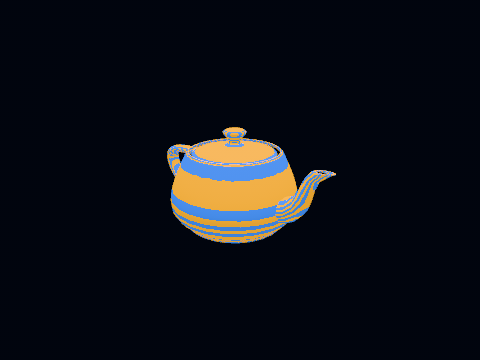
ExampleStripes, a look the engine never shipped: compiled into the example's own bundle and loaded from bytes before the renderer was built. Leave the bundle out and Renderer.create refuses to start, naming the stage. loaded-shaderRefused by name, never answered with nothing. Bytes that are not a bundle, a bundle with no section for the running backend, a compiled section from another SDK (the bundle format follows the Flutter version, and a stage compiled for another one does not fail to parse so much as draw something else): all of them throw ShaderBundleException carrying the bundle's name. A device that returned an empty library instead would produce a renderer failing at its first draw for want of a stage, which names the stage rather than the file to rebuild.
Refreshing in place. LoadedShaderLibrary.refresh(bytes) reparses a bundle the library already holds, and the handles already handed out are the same objects afterwards: flutter_gpu mutates the stage in place, WebGL swaps the compiled object behind the handle. That is what lets a renderer that resolved its stages once keep drawing through them; Renderer.relinkShaders() is the other half, dropping every pipeline so the next frame links the refreshed code. A refused refresh leaves the library as it was. The editor is built on exactly this: pass --dart-define=shaders=<path>.f3dshaders and it polls the file, so an edited shader shows on the next frame after the bundle is rebuilt. The recipe is in apps/flutter3d_editor/README.md.
Two callers wanted this and neither is served by an asset. An editor rebuilding a shader wants to see it without restarting, and an application shipping a look the engine never heard of wants it on every backend it runs on, from one file. The conformance check a library loaded from bytes answers to the same names holds each backend to loading its own shaders from bytes, linking through the loaded handles, and keeping their identity across a refresh.
Observability #
The parts to reach for when a frame looks wrong.
| Tool | What it gives |
|---|---|
DebugDrawSettings |
Bounds, vertex normals, light gizmos, world axes and camera frusta, all drawn in one call |
RenderSettings.highlighted |
Outlines a list of nodes, typically whatever picking last selected. An instanced batch is one node, so it is outlined whole; picking and outlining one instance come in rc.3, and until then setColor on the chosen instance is the way to mark it |
RenderSettings.wireframe |
Geometry without shading. Impeller only: neither the WebGL nor the software backend has a polygon mode, and a frame that asked for it comes back with FrameResult.wireframeDeclined set rather than filled triangles |
showShadowMap / showSurfaceBuffer |
Composites a buffer instead of the scene |
showVelocity |
The velocity buffer instead of the lit image, while the temporal resolve or motion blur is on. Only motion down and to the right shows, since a negative channel has nothing to light |
FrameResult.antiAliasing |
What smoothed the edges: MSAA samples, the edge pass, the temporal resolve, and in msaaDeclined a sentence saying why multisampling was given up |
FramePass.gpuMicros |
What the GPU spent in the passes a node opened, or null on a device that does not measure. WebGPU measures where the adapter grants timestamp-query; Impeller, WebGL2 and the software rasteriser do not |
| Timeline spans | dart:developer spans around every frame phase |
| The frame panel | UI / raster / render / submit timings next to draw, pipeline-switch and cull counts |
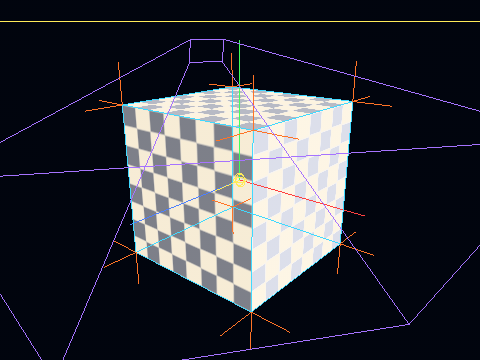
Picking by pixel #
Raycaster answers "what did I point at" from bounds, needs no frame and answers now, which is what a game wants. An editor wants what is on the screen: a monster's arm rather than the metre of box around it, the wall beside a torch rather than the torch whose box the wall is inside.
// Fractions of the frame from the top left, so a widget's local position
// divides by the widget's size and never learns the render size.
final picked = await renderer.pick(PickRequest(at.dx / size.width, at.dy / size.height));
final node = picked?.node; // null: nothing is drawn there
pick is asked with a PickRequest and answers a PickResult, and it is the one pick method for all of 1.x: what a later pick reports (which instance of a batch, a depth, a world position) arrives as a field of the result, and what it may ask as a field of the request, never as a second method. Today a result carries node, and a pick that finds nothing answers null rather than a result with no node. pickPixel(u, v) stays, as pick answered with the node alone.
The next render draws every visible mesh once more with a stage that writes the draw's number instead of its colour, reads the one pixel back, and completes the future with the node whose number came back: null for the clear colour, the batch for an instanced batch. A hardware backend answers a frame or two after that render; the software one when the render returns. On frames nobody asked, the pass is inactive and the frame graph culls it, so it costs nothing until a click. What the scene pass throws away, the id stage throws away too: a masked material's fragments under its cutoff, so a click through a fence's hole answers with what is seen through it. And a frame that fails, in a pass or before one when the graph refuses a node, answers the question with the failure instead of never answering, which is why the editor's click handler catches.
A blended surface is picked as though it were opaque. Glass, a translucent marker, an additive flash: the id pass draws them like anything else, so a click on one answers with the surface and not with what is visible through it. The two kinds of see-through are different claims and the pass treats them differently on purpose: MASK says "there is nothing here", which is a hole and is discarded in both passes, and BLEND says "there is something here, faintly", which is still a thing to click on. A caller that wants the box behind the glass filters the answer; the renderer does not guess which of the two was meant.
The level editor selects with this and resolves the level's own geometry (one batch per material, no brush of its own) back to a brush by the ray through the click, which on the face drawn at that pixel is the face's own. What went away is the tie-breaking rule the ray needed on its own: "anything that is not a wall wins within a metre of the nearest hit", a guess about which of two boxes somebody meant. A pixel is not a guess.
A control wired to a settings panel but not to RenderSettings looks convincing. To find out, capture the same frame with the feature on and off and diff the two; a zero difference answers the question. The same check found five of six lighting goldens recording identical images, described under testing.
Exporting beside a live preview #
capturePhoto draws a still at any size, in tiles, on a renderer it is given, and nothing else may draw on that renderer until it returns: a hardware readback resolves a frame or two after it is asked, and a frame drawn in between takes its targets from the same pool as the tile waiting to be read. A game pauses its world and stops redrawing for the photo. An editor or a configurator whose preview has to keep moving while a 4K still is written gives the export a renderer of its own, on the device the view already has:
Future<void> exportStill(Flutter3dEngine engine, CameraNode shot, IOSink sink) async {
  // A second renderer on the same device: its own targets and its own pool,
  // so the view keeps drawing through engine.renderer meanwhile.
  final exporter = Renderer.create(device: engine.device);
  try {
    await capturePhoto(
      renderer: exporter,
      scene: engine.scene,
      camera: shot,
      width: 3840,
      height: 2160,
      onRows: (rows) => sink.add(rows.bytes),
    );
  } finally {
    exporter.dispose();
  }
}
The two renderers draw one Scene through two cameras, which is the arrangement the view-sharing test holds (flutter3d_app/test/view_sharing_test.dart: one scene under two views, each drawn through its own camera on one device). Give the export its own CameraNode rather than the view's, so the preview's orbit moving in the middle of a capture does not move the still. What the second renderer costs is its own targets at the tile size and its own pipelines, not a second device. Two captures on one renderer at once, or a capture sharing the view's renderer while the view draws, are not supported in 1.0.
The rows arrive as a PhotoRows: bytes, RGBA with eight bits a channel, finished and opaque, count rows of the photo's width starting at row top, top to bottom. One value rather than three arguments so a minor can hand a block of rows more (a format, an alpha mode, a frame index) as fields, and a sink written against 1.0 reads the ones it did. The bytes are the sink's once handed over. A sink that writes them to a file strip by strip, as above or as savePhoto does onto a PhotoShelf, never holds the whole picture.
What a capture does not do yet. Rows are opaque in rc.2, so a product shot with a transparent background for a web shop or a sticker needs a plain backdrop that you cut out afterwards; PhotoAlpha.keep for transparent stills comes in rc.3. There is no video or image-sequence export either. Calling capturePhoto once per frame of a clip, with the world stepped by a fixed time between calls, gives you numbered frames for an encoder of your choice, slowly. A FrameSequence exporter (with motion blur across a frame's exposure) comes in rc.3. A wider row format (16-bit or float rows for an HDR master) and two captures at once on one renderer are planned for 1.x.
A still for the screen is capturePhotoImage. A thumbnail grid, a sticker picker or a share sheet wants a ui.Image, and a device's own frame image is Impeller's alone. This draws through capturePhoto on any device, the software rasteriser and WebGPU included, gathers the rows and decodes them once:
import 'dart:ui' as ui;

Future<ui.Image> thumbnail(Flutter3dEngine engine, CameraNode shot) async {
  final still = Renderer.create(device: engine.device);
  try {
    return await capturePhotoImage(
      renderer: still,
      scene: engine.scene,
      camera: shot,
      width: 256,
      height: 256,
    );
  } finally {
    still.dispose();
  }
}
The same rule holds: the renderer it is handed draws nothing else until it returns, so hand it a renderer of its own as above, or stop the view drawing. The picture is width × height × 4 bytes twice over while it is decoded, which a file written strip by strip avoids; this is for pictures that end up on screen anyway. The caller owns the image and disposes it.
Frame capture #
Judging a render by eye does not scale, and grabbing the window needs a logged-in session with the display awake. The demo can write the render target straight to a PNG and quit.
flutter run -d macos \
  --dart-define=FLUTTER3D_CAPTURE=shot.png \
  --dart-define=FLUTTER3D_CAPTURE_FRAME=200 \
  --dart-define=FLUTTER3D_DEBUG_DRAW=bounds,normals,lights,axes,frusta \
  --dart-define=FLUTTER3D_SOURCE=teapot \
  --dart-define=FLUTTER3D_SPIN=false \
  --dart-define="FLUTTER3D_LIGHTS=key light,spot light" \
  --dart-define=FLUTTER3D_ANIM_TIME=0.75
FLUTTER3D_SPIN=false stops the turntable so two captures differ only by what is being tested, and FLUTTER3D_ANIM_TIME freezes a clip at a given second. Without it two captures of an animated model are not comparable, because a format that loads faster starts playing sooner.
Next #
- Scene graph: what
renderis handed - Geometry & materials: what a pipeline draws
- Pitfalls: the platform conditions behind the pass structure