Geometry & materials
The CPU-side geometry layer knows nothing about the GPU. That is what lets a shape be built, measured, bounded and tested in a plain unit test, and it is why MeshNode holds a MeshGeometry instead of a GpuMesh.
Shapes are values #
Shape is an abstraction, not a bag of static factories. A shape can be stored, passed around, compared, kept in a list the UI offers, and swapped for a caller's own implementation. Primitives.sphere(...) can only ever be invoked.
const Shape shape = SphereShape(radius: 0.5, segments: 32, rings: 16);

final MeshData data = shape.build();                 // CPU, no device
final DeviceMesh mesh = DeviceMesh.upload(device, data);
| Shape | Parameters |
|---|---|
CuboidShape |
size |
PlaneShape |
width, depth, widthSegments, depthSegments |
SphereShape |
radius, segments, rings |
CylinderShape |
radii, height, segments |
ConeShape |
a cylinder with a zero top radius |
TorusShape |
major and minor radius |
CapsuleShape |
radius, height |
DiscShape |
radius, segments |
LatheShape |
an arbitrary profile; everything above the first two derives from it |
Surfaces of revolution #
LatheShape sweeps a profile polyline around the Y axis, and every rounded primitive is a DerivedShape holding one with friendlier parameters. The relationship is in the type rather than duplicated in the generation code.
// A vase: any profile in the (radius, height) half-plane.
final vase = LatheShape(
  profile: <Vector2>[
    Vector2(0.00, 0.0), Vector2(0.45, 0.05), Vector2(0.30, 0.35),
    Vector2(0.42, 0.72), Vector2(0.26, 1.00), Vector2(0.00, 1.02),
  ],
  segments: 48,
  name: 'vase',
);
Four properties to know before authoring a profile:
- Orientation follows the profile direction. Bottom-to-top gives outward normals and counter-clockwise front faces. Reverse it for an inside-out surface such as a skybox, without touching any other flag.
- Normals are analytic, derived from the profile tangent rather than by averaging face normals, which keeps cones and poles exact.
- A repeated profile point is a hard edge. The duplicated pair has a zero-length delta on one side, so each copy falls back to its own one-sided tangent. That is how a cylinder gets crisp rims where the caps meet the wall.
- UVs use arc length, not point index, so texels do not bunch up where the profile is finely subdivided.
Chord-derived normals are exact for straight segments and first-order wrong at the ends of a curved one: at a sphere pole built from 16 rings the error is about 5.6°. Pass profileNormals when the profile has a known analytic normal, as SphereShape and CapsuleShape do.
Vertex layouts #
A vertex buffer is bound as one opaque blob and the real layout comes from the order of in declarations in the vertex shader. Nothing validates that contract for you, so VertexLayout at least makes it explicit and keeps it in one place.
const VertexLayout.standard;             // position, normal, texcoord, tangent, color
const VertexLayout.positionOnly;         // shadow depth
const VertexLayout.positionColor;        // the debug line overlay
const VertexLayout.positionColorTexcoord; // particle quads
A third layout means a third vertex shader. A backend reads the layout off the shader's in declarations, which is the same constraint that forced a separate stage for debug lines and for skinning. Adding an attribute is a shader change, not a data change.
Joint indices are held as floats, because the vertex buffer is one interleaved block of them and there are no attribute descriptors to say otherwise. A float32 represents every integer up to 2²⁴ exactly, so a joint index is never approximated.
MeshBuilder #
For geometry no generator covers.
final builder = MeshBuilder(VertexLayout.standard, reserveVertices: 256);

final a = builder.addVertex(
  position: Vector3(0, 0, 0),
  normal: Vector3(0, 1, 0),
  texcoord: Vector2(0, 0),
);
final b = builder.addVertex(position: Vector3(1, 0, 0), normal: Vector3(0, 1, 0));
final c = builder.addVertex(position: Vector3(0, 0, 1), normal: Vector3(0, 1, 0));
builder.addTriangle(a, b, c);

final MeshData data = builder.build();
Attributes absent from the layout are silently ignored, which lets one piece of generator code build for several layouts. Attributes the layout declares but the caller does not supply get a neutral value instead of zero, because a zero vertex colour multiplies the surface to black and a zero tangent yields a degenerate TBN full of NaN.
Walls from a floor plan #
A room planner has an outline, not a model. The walls are one quad per edge of the outline, raised to the ceiling height, and MeshBuilder makes them in a dozen lines:
MeshData wallsFromPlan(List<Vector2> outline, {double height = 2.7}) {
  final builder = MeshBuilder(VertexLayout.standard);
  var along = 0.0; // metres of wall so far, so the texture runs on round corners
  for (var i = 0; i < outline.length; i++) {
    final p = outline[i];
    final q = outline[(i + 1) % outline.length];
    final length = p.distanceTo(q);
    final normal = Vector3(-(q.y - p.y), 0, q.x - p.x).normalized();
    Vector3 at(Vector2 point, double y) => Vector3(point.x, y, point.y);
    final a = builder.addVertex(position: at(p, 0), normal: normal, texcoord: Vector2(along, 0));
    final b = builder.addVertex(position: at(q, 0), normal: normal, texcoord: Vector2(along + length, 0));
    final c = builder.addVertex(position: at(q, height), normal: normal, texcoord: Vector2(along + length, height));
    final d = builder.addVertex(position: at(p, height), normal: normal, texcoord: Vector2(along, height));
    builder
      ..addTriangle(a, b, c)
      ..addTriangle(a, c, d);
    along += length;
  }
  return builder.build();
}
The plan's x is the scene's X and its y is the scene's Z. Walk the outline so the room is on your right, standing on the floor, and the walls face into it, which is what a camera inside the room needs. Walk it the other way for a building seen from outside, or give the material doubleSided: true for both. Each wall has its own four vertices, so the corners stay sharp. A door or a window is a gap: split that wall's quad around the opening, or cut a box out of the wall with the booleans in flutter3d_mesh. For a solid block per floor, as in a dollhouse view, EditMesh.fromFaces with the outline as one face and extrudeFaces gives the floor, the walls and the ceiling as one closed mesh.
A tube along a curve #
There is no sweep helper in 1.0. A tube along a path (a molecule's backbone, a cable, a pipe) is a ring of vertices at each point of the path, turned to follow it, with the rings joined by quads. The one subtle part is the ring's orientation. Carry one normal along the path and straighten it at each point, instead of building a fresh frame from the curve, or the tube twists where the curve straightens out:
import 'dart:math' as math;

MeshData tube(List<Vector3> path, {double radius = 0.1, int sides = 12}) {
  final builder = MeshBuilder(VertexLayout.standard);
  final first = path[1] - path[0];
  var normal = first.cross(first.x.abs() < 0.9 ? Vector3(1, 0, 0) : Vector3(0, 1, 0)).normalized();
  for (var i = 0; i < path.length; i++) {
    final ahead = path[math.min(i + 1, path.length - 1)];
    final behind = path[math.max(i - 1, 0)];
    final tangent = (ahead - behind).normalized();
    normal = (normal - tangent * normal.dot(tangent)).normalized();
    final binormal = tangent.cross(normal);
    for (var s = 0; s <= sides; s++) {
      final angle = 2 * math.pi * s / sides;
      final out = normal * math.cos(angle) + binormal * math.sin(angle);
      builder.addVertex(
        position: path[i] + out * radius,
        normal: out,
        texcoord: Vector2(s / sides, i / (path.length - 1)),
      );
    }
  }
  final ring = sides + 1;
  for (var i = 0; i + 1 < path.length; i++) {
    for (var s = 0; s < sides; s++) {
      final a = i * ring + s;
      builder
        ..addTriangle(a, a + ring + 1, a + ring)
        ..addTriangle(a, a + 1, a + ring + 1);
    }
  }
  return builder.build();
}
The ring repeats its first vertex at the end, so the texture wraps without a seam of stretched texels. A flat ribbon, the cartoon view of a protein, is the same loop with two vertices across the path instead of a ring, offset along binormal, and a radius that varies along the path is one more parameter. A path with few points looks faceted; resample it along a spline first. A path that doubles back on itself in one step has no tangent there, so drop repeated points.
MeshData and the GPU #
final data = shape.build();
data.computeBounds();
final packed = data.packIndices();      // 16-bit where it fits, 32-bit otherwise

final mesh = DeviceMesh.upload(device, data, keepSourceData: true);
keepSourceData is what lets picking test triangles rather than falling back to bounds. CpuMesh is the implementation for geometry that is queried but never drawn.
There is no non-indexed draw. draw() with only a vertex buffer bound succeeds and renders nothing: the counter goes up and the screen does not change. Bind an index buffer even when the indices are the identity sequence; the debug line overlay keeps one in a device buffer that only grows.
Tangents #
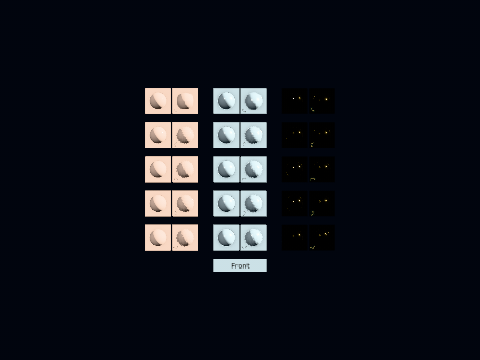
Generated with Lengyel's method where a mesh has none, taken analytically where the surface knows them, and checked against a real exporter's output on NormalTangentMirrorTest.
The bitangent sign is the part that goes wrong without any error. glTF's bitangent is cross(normal, tangent) * w, and it is minus dP/dv, because texture V grows downwards while a normal map's green channel points up. Deriving w from +dP/dv gives tangent directions that agree with an exporter to seven digits and signs that are backwards everywhere, which only shows up on mirrored UV islands. The symptom is a normal-mapped surface lighting from the wrong side, on half the model.
Materials #
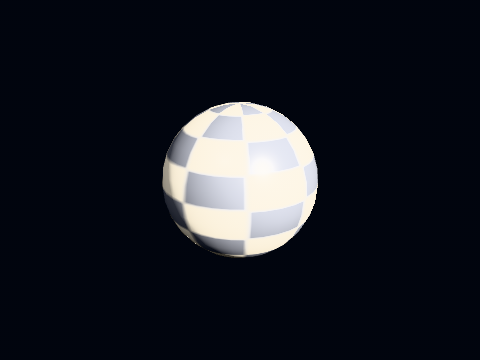
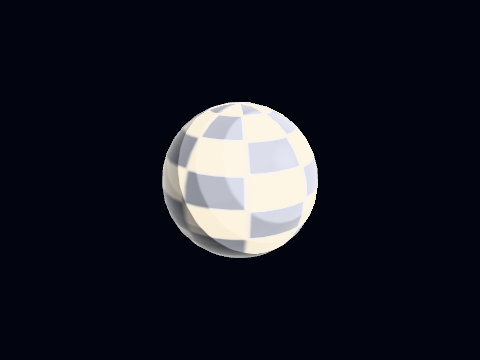
A RenderMaterial is a pipeline selection plus its parameters. Changing lighting changes the shader, and therefore where the draw lands in the sort.
final material = RenderMaterial(
  name: 'stone',
  lighting: LightingModel.pbr,
  baseColor: LinearColor.white,
  metallic: 0.0,
  roughness: 1.0,
  albedo: albedoTexture,
  normal: normalTexture,
  normalScale: 1.0,
  metallicRoughness: ormTexture,
  occlusion: ormTexture,
  occlusionStrength: 1.0,
  occlusionAffects: OcclusionAffects.both,
  emissiveTexture: emissive,
  emissive: const LinearColor(0.9, 0.5, 0.2),
  emissiveStrength: 2.0,
  alphaMode: MaterialAlphaMode.mask,
  alphaCutoff: 0.5,
  doubleSided: false,
  drawBucket: 0,
);
Neutral fallbacks instead of per-map flags #
A material with no normal map is bound the engine's flat-normal texture; one with no albedo gets white. So the shader needs no branch and the engine no bookkeeping about which maps a material has, which is also why Renderer.create demands both fallbacks up front.
Which light the occlusion map darkens #
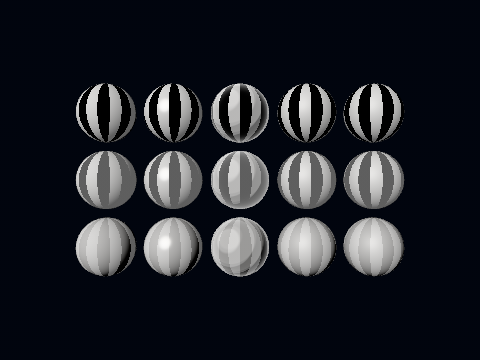
occlusionAffects says what the occlusion map takes away under lambert, blinn-phong, toon, pbr and the layered pbr. both, the default, darkens every light and the ambient alike, as the models always have. direct darkens the lights only, for a map baked as the sun's visibility, and leaves the ambient, the environment's irradiance and reflections and the lightmap as they are. indirect is the other half: the ambient, the environment and the lightmap darken and the lights do not, for a map baked against the sky in a level whose lights cast their own shadows. A .fmat writes it as "occlusionAffects": "direct"; glTF has no word for it, so a glTF material reads as both. A material in the material language adds up its light in its own composite block and does not read it.
Alpha modes #
| Mode | Effect |
|---|---|
opaque |
Depth write on, sorted front to back |
mask |
Alpha tested at alphaCutoff, still an opaque draw |
blend |
Sorted back to front, no depth write |
setDepthWrite(false) did nothing until Flutter 3.47, so additive particles occluded each other on two backends out of three. The software backend mirrored the bug on purpose to stay comparable; the full account is in the backend contract.
Lines a given number of pixels wide #
A route on a map, a ship's track or a graph's curve is a band the vertex stage widens on screen, so it stays the same width in pixels however far away it is. buildPolyline makes the mesh, one draw for the whole line with the elbows joined, and RenderMaterial.polyline() draws it:
final route = MeshNode(
  DeviceMesh.upload(
    device,
    buildPolyline(
      <Vector3>[Vector3(0, 0.1, 0), Vector3(4, 0.1, 1), Vector3(6, 0.1, 5)],
      width: 4.0,                                  // pixels
      colors: <LinearColor>[LinearColor.white, LinearColor.white, LinearColor.black],
    ),
  ),
  RenderMaterial.polyline(),
);
Made without a size, the material widens the line against the pixel size of the view it is drawn into at each draw, so a resize or a second view of another size keeps the width with nothing written. viewportWidth and viewportHeight, both or neither, hold it to a target of the application's instead, and polylineViewport is where a new size goes then. The material is double-sided, because half of any route faces away from the camera, and has no depth bias: lift a line laid exactly on the ground a little, or the ground hides it in patches.
Many separate lines are still one draw. One polyline is one connected band, so a grid of separate lines is many polylines merged into one mesh with MeshData.merge:
final gray = LinearColor(0.35, 0.35, 0.35);
final grid = MeshData.merge(<MeshData>[
  for (var i = -10; i <= 10; i++) ...<MeshData>[
    buildPolyline(<Vector3>[Vector3(i.toDouble(), 0.002, -10), Vector3(i.toDouble(), 0.002, 10)], width: 1, color: gray),
    buildPolyline(<Vector3>[Vector3(-10, 0.002, i.toDouble()), Vector3(10, 0.002, i.toDouble())], width: 1, color: gray),
  ],
]);
final floorGrid = MeshNode(DeviceMesh.upload(device, grid), RenderMaterial.polyline());
The same goes for axis guides (three lines in red, green and blue from a point) or a snapping guide along an edge. A closed: true polyline makes a ring. These lines sit in the scene, are hidden by what stands in front of them and stay where they are until you change them.
Lines that change every frame, drawn over everything. A guide that follows the pointer, a measuring line while it is dragged, or a skeleton drawn as bones does not need a mesh. renderer.addDebugLines is called every frame and draws one-pixel lines after tone mapping, on top of the picture. They show through the model, which is what a skeleton inside a body needs, and they cost nothing while nothing is registered. Despite the name, it is not limited to debug builds:
final skeleton = instance.skeletons.first;
final bones = renderer.addDebugLines((lines) {
  for (final joint in skeleton.joints) {
    final parent = joint.parent;
    if (parent == null || !skeleton.joints.contains(parent)) continue;
    lines.addLine(parent.readScenePosition(), joint.readScenePosition(), LinearColor.white);
  }
});
// bones.cancel() when the view goes, or the lines stay
The joints are scene nodes that the clip moves, so the lines follow the animation without extra work. RenderSettings(debug: DebugDrawSettings(skeletons: true)) draws the built-in version, an octahedron per bone, for every skinned mesh in the scene. Handles you drag, rather than lines you look at, are in flutter3d_editor_core.
What lines do not do yet. A line set from a file (glTF LINES), drawing part of a line by range (drawRange), outlining a mesh's hard edges (EdgeSettings), and built-in dashes or a colour map with a legend along a line all come in rc.3. Until then, a dashed route is a merged list of short polylines, and a line coloured by data uses colors with the table from Colours that are data.
Procedural textures #
final white = SolidColorTexture.white.upload(device);
final flat  = SolidColorTexture.flatNormal.upload(device);
Enough for placeholder materials and for a level whose author has not decided yet. The renderer's own fallbacks are these two and it makes them itself, so pass fallbackAlbedo or fallbackNormal only when neutral is not what you want.
Next #
- Assets & animation: geometry that comes from a file
- The frame: what happens to a pipeline once it is selected
- Tutorial: first scene: all of it, wired up