The level editor
The editor is two packages and an application, and the split is the first thing to understand about it.
flutter3d_editor_core is the document: opening a level, selecting in it, nudging, growing, adding, duplicating, turning, brightening, deleting, setting a field, undoing and writing it back. Plain Dart, no Flutter anywhere, held there by the same scan that keeps flutter3d_sim honest. apps/flutter3d_editor is the half that reaches a device (the window, the disk, the camera, the frame) and nothing else. And flutter3d_mcp/editor.dart stands beside them: the same commands offered to an agent over stdio, one document per process.
The split changes what can be built. While those files sat inside the application, nothing could depend on them: no package depends on an application forbids it and pub cannot express such a dependency anyway, because an application is not published. A level linter for CI, a service that checks an uploaded level before a player loads it, a tool an agent speaks to: every one of them had nowhere to start. A level is a document, and the programs that most want to say a document is wrong are the ones with nothing to draw.
The application is desktop only. It exists to write a file back over itself, and a browser will not do that.
- Opening a level: the panel, the recent list, and what happens when the path doesn't exist yet
- The fly camera, and why it moves along the ground instead of along the view
- Selecting, dragging, nudging and resizing on the grid
- The palette, and what actually happens when you place an entity with no vocabulary in the editor to describe it
- The fields panel, built from the document; the materials panel, built from hints
- Commands with names, and a history that remembers sentences as well as documents
- The same editor with no screen at all:
flutter3d_mcp'seditor_mcp
Opening a level #
cd apps/flutter3d_editor
flutter run -d macos
flutter run -d macos --dart-define=level=../flutter3d_demo_dungeon/assets/levels/crypt.json
Started with nothing to open, the editor shows a chooser rather than an error: the system's open panel, the projects it has had open before, and the templates. The recent list is the row that gets used. Choosing a level is a question with the same answer most days, and a list of recent projects is that answer already given. It is kept through the same Storage a game keeps its settings in, for that file's reasons rather than out of tidiness: the directory is per platform and was wrong on two of four before it existed, a read that finds nothing is a first launch instead of a failure, and a write goes through a temporary and a rename so a crash cannot leave half a list.
The open panel is the one call into a plugin nobody here can fix, and it is four lines in editor_chooser.dart. Everything around it is not: what a path means is Documents, which projects are still there is RecentProjects, and both are tested with no plugin registered and no window open.
A --dart-define still works and still means what it did. Point either route at a path that doesn't exist and the editor offers a template instead of a complaint:
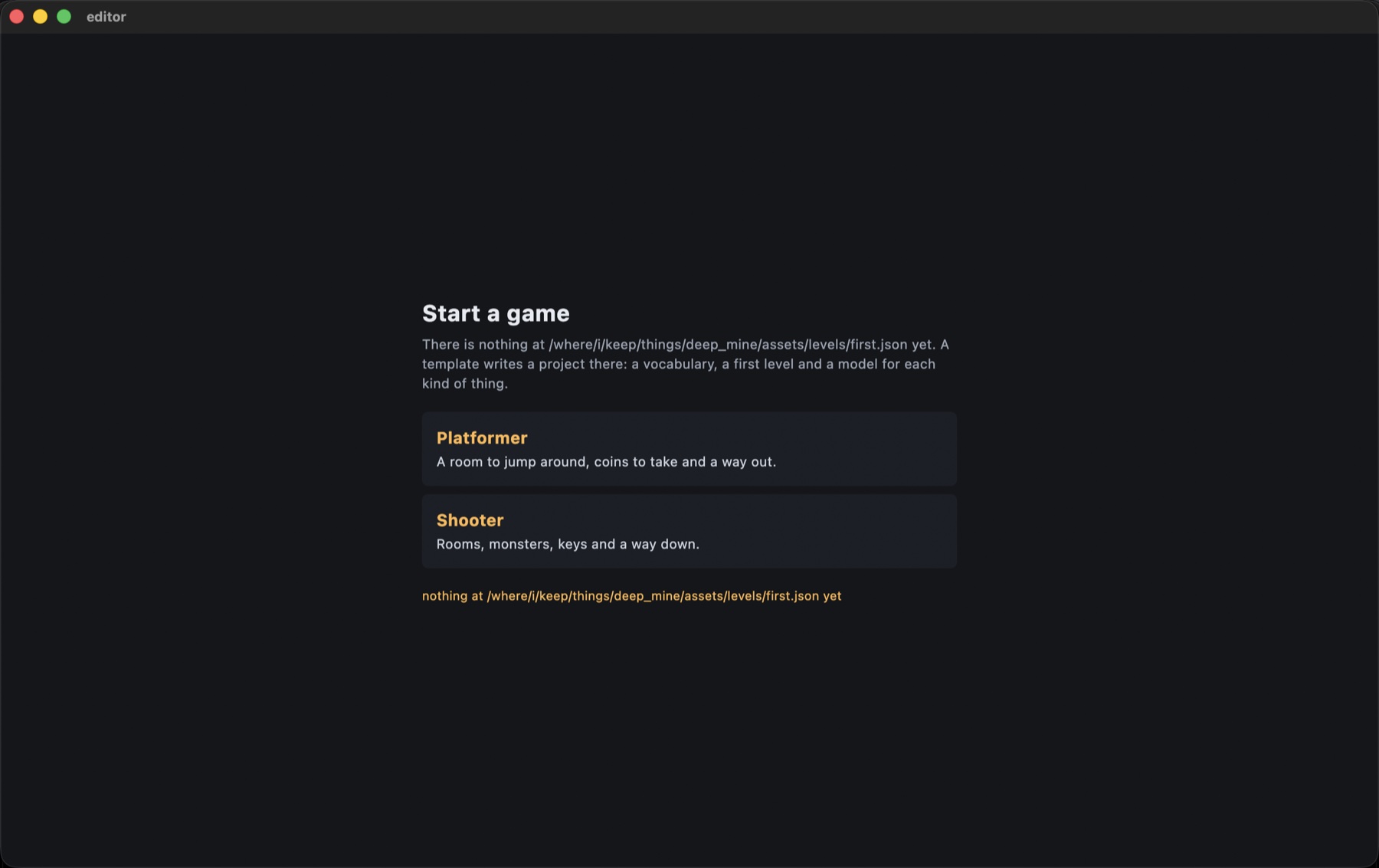 Picking one writes a whole new project there: a vocabulary, a first level, a model per kind of thing, a
 pubspec.yaml, a README.md, an application that runs. Then it opens the level inside it. There are four now (platformer, shooter, racing and strategy), one per genre package, listed in assets/templates/index.json and read out of the bundle by a manifest apiece, because a bundle cannot be listed and a file that exists and is not named is a file that never arrives.
The editor has no vocabulary of its own. A level says monster or torch, and what those are worth belongs to the game that defines them. The editor builds a registry out of whatever types are already in the document (vocabulary.dart) and vouches for none of it. Geometry, materials and lights it can honestly check, so a generated starter level has to load with zero errors and zero warnings against its own game's real rules.
Getting around #
W A S D |
walk, along the ground instead of along the view |
Q / E |
down / up |
| shift | four times faster |
| drag | look |
| scroll | move forward |
The camera moves where you're pointed on every other page of this site and deliberately doesn't here. The edit made most often is to a floor, which means looking down at it, and a camera that moves where it looks would put you underneath the level on the next press of W. Looking and walking are two different things a level editor asks for, so they are two different controls. Q and E are the only way to change height, and they are absolute regardless of where you are looking. The camera also isn't kept out of walls, on purpose: nothing here should stop you from flying into geometry to look at the back of it.
It opens at the level's own spawn point, at eye height, looking level. Not above the level looking down: in a low-ceilinged room that means opening inside the ceiling.
Selecting, moving, resizing #
Click selects whatever a ray hits, and picking prefers the thing to the wall: a torch authored inside stonework or a monster standing on a floor would otherwise be unclickable if the nearest surface always won.
One button carries three meanings, and none of them is a modifier. What a press means is decided where it starts and never revisited: a press that does not move is a click; a press that moves off a bar of the selection box drags the selected thing along that bar; a press that moves anywhere else turns the camera. The first version put looking on the right button, a two-finger press-and-drag on a trackpad, and it was undiscoverable enough that the person it was built for could not get down the first corridor. Deciding at the press is what keeps a hand that slips off its bar still dragging the thing instead of suddenly spinning the view, and the whole drag becomes one step in the history rather than one per frame the pointer reported.
| click | select |
| drag a bar of the selection box | move the selection along that axis |
| arrows | move on the grid, in X and Z |
R F, page up/down |
raise / lower |
1 2 3 |
pick an axis |
- = |
resize along the picked axis. With a light selected, dim or brighten it |
, . |
turn an entity |
⌫ |
delete |
G |
cycle the grid: 0.25 m, 1 m, off |
⌘Z / ⇧⌘Z |
undo, redo (64 steps) |
⌘D |
duplicate whatever is selected |
⌘S / ⇧⌘S |
save / save a copy |
⌘-click |
add to the selection, or take out (here and in the outliner) |
⌘K |
the command palette |
The window #
The picture sits in the middle and the panels are docked around it: the outliner and the palette down the left, the inspector, the material panel and the step panel down the right, the console and the render graph along the bottom. Each side is resized by dragging its edge, folded to a strip of icons and opened again, and a tab can move to another side; where everything is gets written to layout.json beside the recent projects, so it is there on the next launch. Until 1.0 the panels were a Stack of overlays on top of the level, each one covering part of what was being edited. DockLayout itself is in flutter3d_editor_widgets, beside the field rows the editor and the modeller share.
The outliner lists the level as a tree (brushes, lights, entities by type) from outlineOf in the core package. It and the viewport select through the same Editing, so a click in either shows in the other. More than one thing can be selected: ⌘-click adds a row or takes it out, Editing.selection is the primary plus the rest, and moving and deleting act on all of them as one step of undo. A double-click flies the camera to the row.
The console keeps every sentence the strip along the top has said, after the strip has moved on. While a game is being played, or is attached, it also shows that game's console and the events it posted, read from the same PlayedGame the Play screen reads. The render graph is the last frame the viewport drew: the passes in the order they ran with their times, draws and triangles, and the passes that did not run with the reason. SceneSurface.onFrame is how the editor gets the FrameResult; it used to be dropped once the texture was out of it.
⌘K opens the command palette. Every command a key, a toolbar button or a panel runs is in it, under its name and beside its shortcut, found by typing a few letters in order.
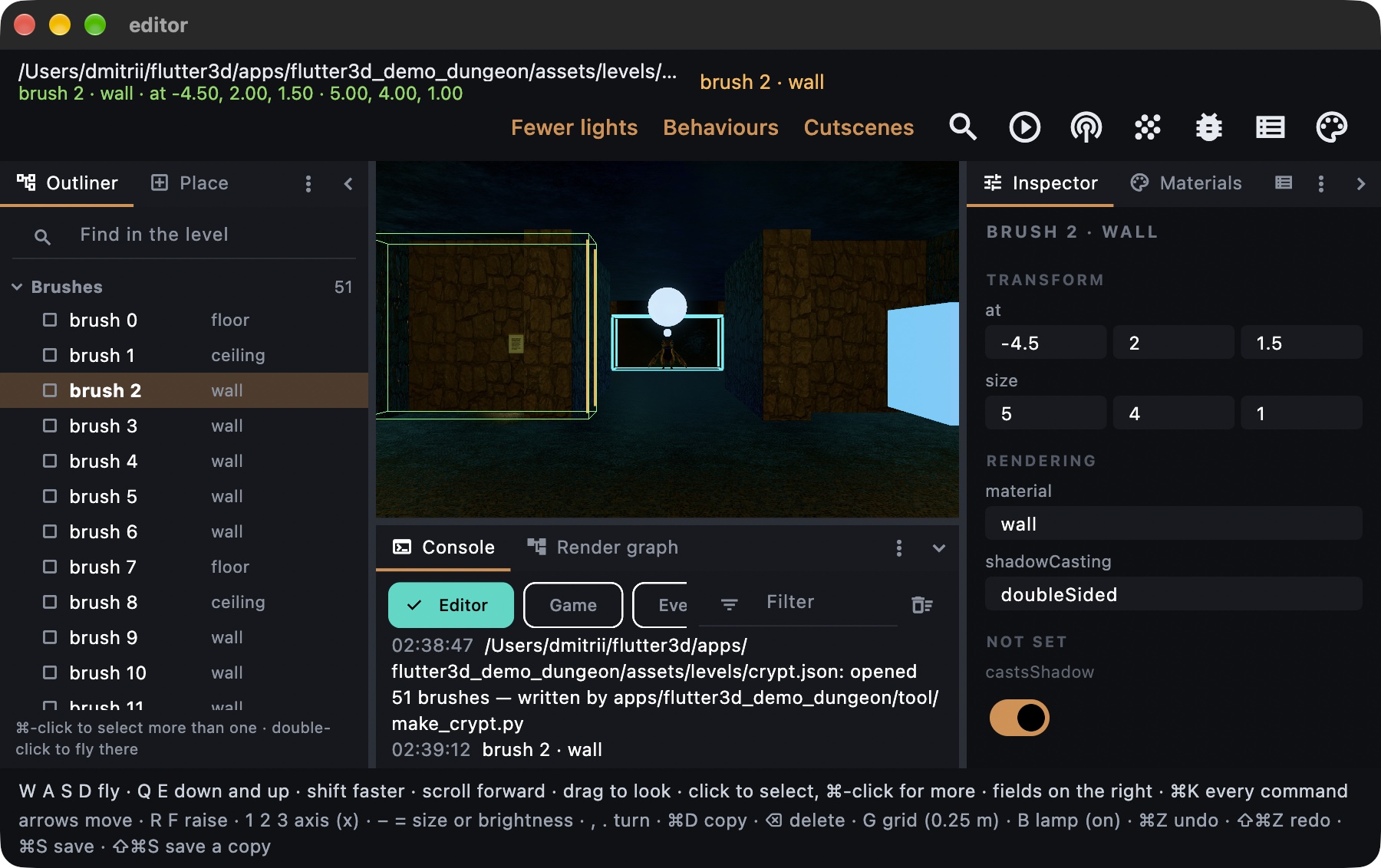
Everything the renderer draws nothing for still needs to be clickable and visible: a spawn point, a torch, a monster, a trigger, the exit. Each gets a mark, a half-metre box tinted by its type, green for the spawn point, and a light wears the colour it casts.
The fields on the right #
Selecting something shows its document entry in the inspector, grouped into components (where it is, how it draws, how it collides, what a light does, an entity's own properties): one row per key that is actually in the file, with the editor chosen by the value that is there: a switch for a flag, a box for a string or a number, three boxes for a vector. There is no case per kind and no case per field, so a key this build has never heard of is shown instead of dropped, and the day the format grows a key this panel edits it.
Under NOT SET the panel lists what the format defines and this entry leaves out. A brush is solid and casts a shadow by omission, so those keys are offered dimmed, at the value the game would read, and writing one puts the key into the document (Editing.offerable). Every write goes through the format's own encode and decode (Editing.setField), so a value the format cannot read is refused and rolled back instead of saved.
The materials panel, which is built from hints instead #
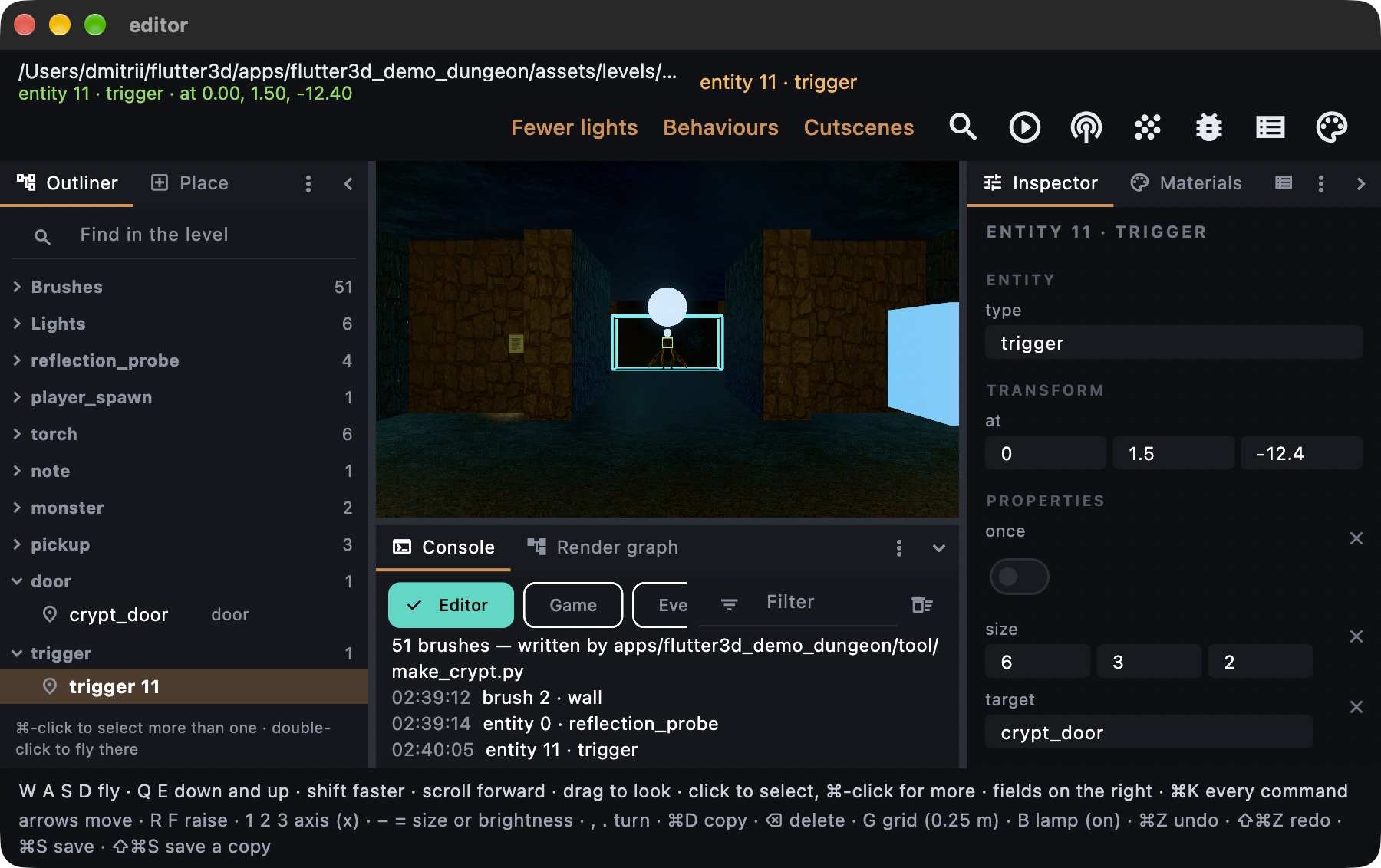
A material is what every brush in the level points at, and it is not a fourth thing that can be selected, so for a long time the editor could name a material on a brush and had no way to say what that material looks like. material_panel.dart is that half, and it is built the other way round from the inspector: from hints, where the inspector is built from types, because a material has a schema and a level does not.
The engine keeps builtInMaterialHints for the fields every material has, and a .fmat carries MaterialDocument.hints for the parameters only a studio's own shader knows about. So a range is a slider, a colour is a picker with three channels or four, a path is a file field offering the suffixes this engine decodes, and a finite set is a list. None of these widgets is chosen by looking at what type happened to be in the box. FieldRow is shared with the inspector and falls back to the type when nothing hinted a field, which is what keeps the two panels one row.
A hint describes and never refuses. 0..1 on roughness does not make readFmat clamp a 1.5 in the file: the number there is what the shader receives, and a reader that tidied it up would be changing what the engine draws to suit a slider. Every golden picture on this site was rendered from the numbers the files actually carry.
The two writers are gated differently. A level material goes back through Level.fromJson, which is strict and throws, so the panel parses and rolls back exactly as Editing.setField does. A .fmat is the other case: readFmat almost never refuses, it warns: an unknown alpha mode becomes opaque with a note, and a shader it does not ship becomes the scene's. So a panel writing straight into a material document would be the one place in this editor able to produce a file that does not say what it appears to say. materialWith puts the reader behind the writer instead.
Placing something new #
The palette, down the left, is built from the document instead of hardcoded. paletteOf(level, declared: ...) lists one row per material a brush could be (wall, floor, iron, each in the colour it is actually painted, because "brush" alone tells you nothing about what you are placing), plus one row for a light and one per entity type the level or its game already declares. Click a row, then click in the scene, on the surface under the cursor instead of in the air in front of the camera:
- A brush is placed in the material the row names:
add(at, material: 'wall')puts down a wall. - A light is placed with
addLight(at). The engine defines what a light is, so the editor can invent one without knowing anyone's vocabulary. - An entity is placed by copying the last one of that type already in the document (or a bare one carrying only its
type, if the level declares the type but has none yet), because the editor cannot know what amonsterneeds in it. Only the game that definesmonsterdoes.
⌘D duplicates whatever's currently selected instead, carrying everything it had.
Commands, history, saving, generated files #
Everything the editor does to a document is an EditorCommand. There are eleven of them (moveBy, resize, addBrush, addLight, place, duplicate, delete, setField, brighten, turn, setLights), each a value with a name, arguments, a toJson and a sentence about itself. That last one is why the bar can say undo move by 0.25, 0, 0 rather than undo.
Nothing here reverses itself, by decision. The obvious shape for a command is a pair, do and undo, and this hierarchy leaves out the second half on purpose. Going back is implemented once, in EditorHistory, by putting a snapshot of the whole document back. A level is a few hundred numbers and a snapshot of one costs nothing worth measuring, while an inverse per command is eleven more places where the way back can disagree with the way there, and that disagreement does not arrive as a crash. It arrives as somebody's brush a quarter of a metre from where they left it, three undos later, with nothing to blame.
Sixty-four steps deep, oldest off the end rather than newest refused: an editor that stops recording after the sixty-fourth change is an editor whose undo stops working halfway through an afternoon without telling anyone. A transaction is what makes a gesture one step: a whole mouse drag is one snapshot taken on the way in, however many frames it took, and nested transactions belong to the outermost.
The history also answers "is there unsaved work", which looks like a second job and is the same one: undoing back past a save has to answer no, and redoing forward past it has to answer yes again. That is a comparison between how deep the stack is now and how deep it was when the file was written, and it can only be made where the stack is. The question hangs on the dialog a closing window raises, so a wrong answer is either a lost afternoon or a pointless question about an empty document.
⌘S refuses to save over a document that says generatedBy, and every shipped level here is produced by a Python generator and says so. A hand-edit that looks saved right up until somebody reruns the generator is an afternoon of work that silently disappears. ⇧⌘S writes a sibling file instead (crypt.edited.json) and takes ownership of the copy, since a copy that still names the generator would invite the same accident one file over.
The same editor with no screen at all #
flutter3d_mcp's editor server is a Model Context Protocol server over stdio (dart run flutter3d_mcp:editor_mcp <level.json>), holding one document for the life of one process. Twenty-one tools, and eleven of them are the EditorCommand hierarchy above, offered under the names that package already gives them: a tool call is its arguments handed to EditorCommand.fromJson. So an edit made by an agent and an edit made by a hand reach the document by one route, get one sentence in the undo stack, and come back under the same key. The table is built from editorCommandNames, and the suite holds it to that list both ways round, because a server keeping its own copy is a server that silently cannot call the twelfth command.
Two of the tools are not commands and both were missing from every sketch of this. list prints everything in the level with the kind and index select takes. Every other verb works on "the selection", which a program with no screen cannot guess, so without it driving the editor means moving the third brush without ever finding out there is a third brush. validate runs the document through LevelValidator; without it the first news of a broken level is a diff somebody reads later.
It draws in software, flat. screenshot renders the level through flutter3d_cpu at 320×200, with no GPU and no Flutter: the scene comes from LevelScene in flutter3d_editor_core, the half of loading a level that never needed a window. Textures are decoded by the application that ships them, so every brush shows in its material's colour and every light and entity as a small box. report reads the same frame's object ids, with the level drawn one brush per draw, and says for every brush, light and entity how many pixels it owns, where, how far away, and which pieces cover the part of the screen it would fill. "The torch is hidden by brush 3" is then a count of pixels after the depth test, not a guess from boxes.
Fewer lights, from the command line #
A level with fifty lights where thirty would draw the same picture pays for the other twenty in every frame. flutter3d_build has a command for that, and it needs no window either:
dart run flutter3d_build:lights --optimize assets/levels/crypt.json --dry-run
It draws every light alone in software from views a player would have, removes the lights others already cover, merges close pairs, retunes the rest, and keeps a change only while the picture stays within its bounds. The set it arrives at goes into the level as one setLights command, so it is one step of history like any other edit. Like ⌘S, it will not write over a generated level; --out writes a copy that owns itself. The options, lighting states and per-device-class copies are on the asset pipeline page.
What it does not do yet #
An agent cannot join a session somebody else has open. A socket into a running editor, with one level changing under two writers while a person watches, is the arrangement worth having and a much harder program: two writers on one undo stack, a selection that has to mean something to both, and a test that needs a device before it can assert anything. What exists is the half a plain dart test can hold still.
And the rebuild is the whole level on every change, because a brush is batched into its material's mesh and there is nothing smaller to rebuild; at the size of the levels here that is a frame's work, and it keeps the picture and the document impossible to disagree.
Next #
- Assembling an application: what the game apps do instead of this, through
flutter3d_appandflutter3d_game - Simulation layer:
Level,EntityRegistryand the validator the editor's generated templates are checked against - Package index:
flutter3d_editor_coreandflutter3d_mcpbeside the rest of the workspace